FranceConnect authentication and registration in ForgeRock AM 5
Author: |
Sheila Albertelli |
Created at: |
May 2017 |
Updated at: |
Dec 2022 |
Written by Léonard Moustacchis

FranceConnect is the French national Identity Provider (IDP). This IDP acts as a hub that is connected to third party IDPs: La Poste (Mail service), Ameli (Health agency) , impots.gouv.fr (Tax service). National IDP is not a new concept in Europe where the eIDAS regulation applied for years, for example Fedict in Belgium or gov.uk in UK. Whereas the National IDPs are mostly SAML based (some of them uses the Stork profile) the FranceConnect service is OpenID Connect based.
This article explains the FranceConnect implementation in ForgeRock Access Manager 5.0
First creates an account on FranceConnect here Pas encore inscrit ? Je crée mon compte pour utiliser le service FranceConnect, it takes few minutes.
The only information needed is the callback URL, for example: http://openam.example.com/openam/oauth2c/OAuthProxy.jsp
The clientID « key » and the client secret « secret » will be sent by email.
Then the configuration is done in the admin console of the ForgeRock AM.
Go to Authentication>Modules and create a new OAuth 2.0 / OpenID Connect authentication module.
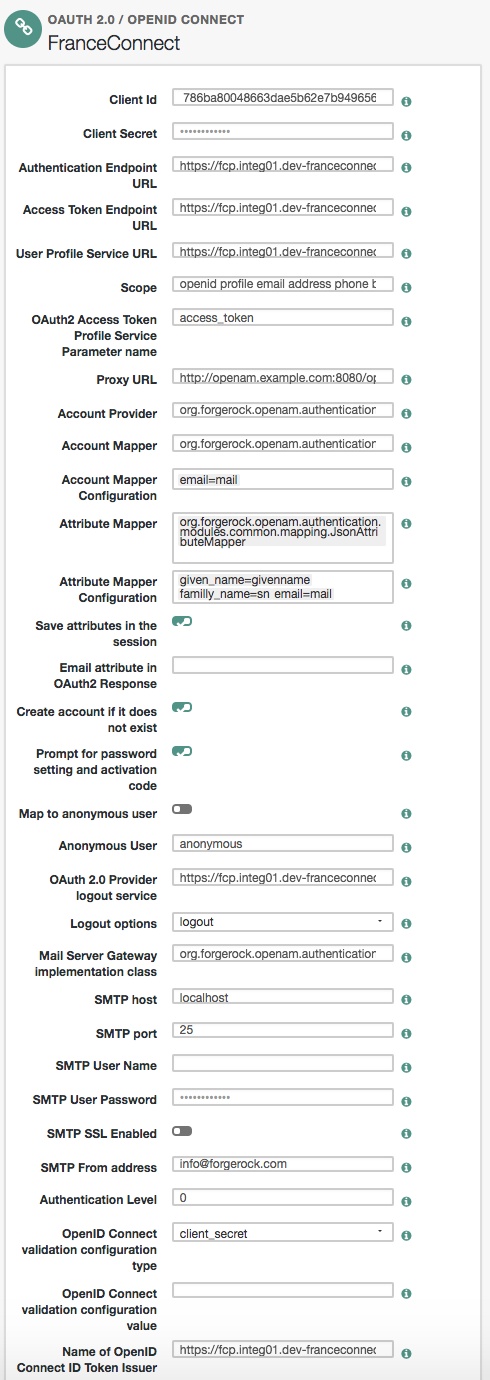
This configuration maps the user using the email attribute, automatically creates the user in the datastore (optional).
The following attributes have been mapped: given_name=givenname family_name=sn email=mail. The full FranceConnect attribute list is here: Accédez simplement à vos services publics en ligne avec FranceConnect
Go to Authentication>Chains and create a new authentication chain FranceConnectNationalAuthenticationService which contains the FranceConnect authentication module as required.
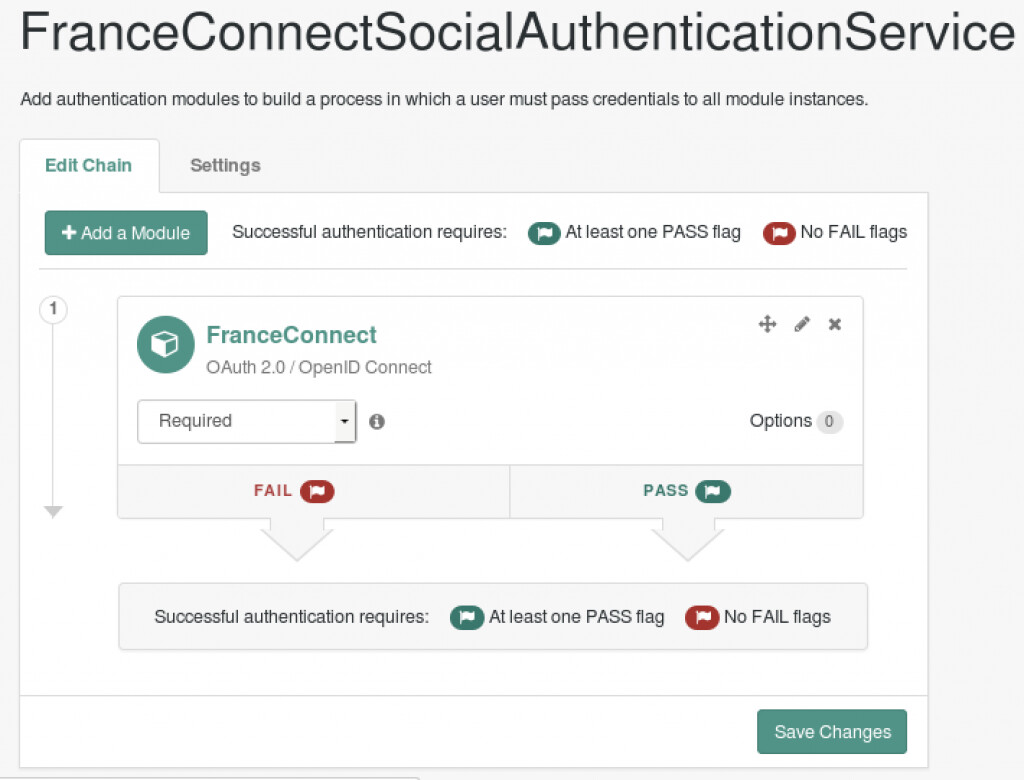
In order to activate the FranceConnect button add it in Services>Social Authentication Implementations.

Lets try!
Go to the login page.

Choose « s’identifier avec FranceConnect »
Example account are provided for major IDP.
Choose the Ameli.fr IDP; example account is login : 18712345678912345 and password :123
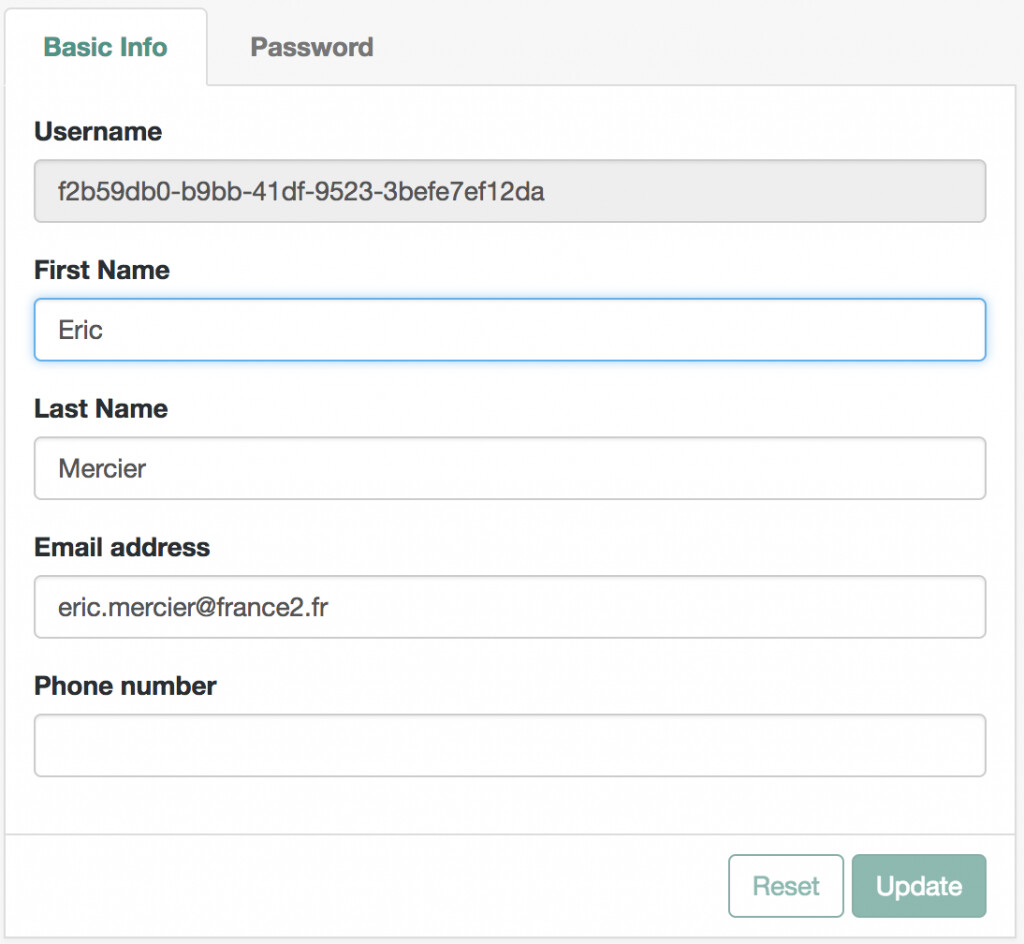
The account is stored in the AM datastore.
You are now logged in with Mr Eric Mercier!