ForgeRock Identity Cloud: Enabling users to manage their own identity
Author: |
Lucy Billington |
Created at: |
May 2023 |
Updated at: |
Aug 2023 |
Overview
Enabling users to take control of their own identity information through self-service eliminates the need to depend on an organization’s support staff. This identity information may include account details and passwords, preferred multi-factor authentication (MFA) methods, privacy and consent settings, marketing preferences, and more. By adopting a self-service approach, support costs are reduced while enhancing user experience and improving customer engagement.
ForgeRock Identity Cloud offers several self-service capabilities for managing identity information. These include:
Password reset
What is it?
With self-service password reset, end users who have forgotten their password or want to change their password for some other reason can reset it themselves through a simple user interface.
How is it achieved in Identity Cloud?
Password reset is a basic capability of Identity Cloud, and provided out of the box. Options for resetting passwords are available through Intelligent Access Journeys, either as part of the authentication flow or profile management in the End User UI.
Identity Cloud includes two sample password journeys to allow end users to reset or change their passwords:
-
Reset Password
-
Update Password
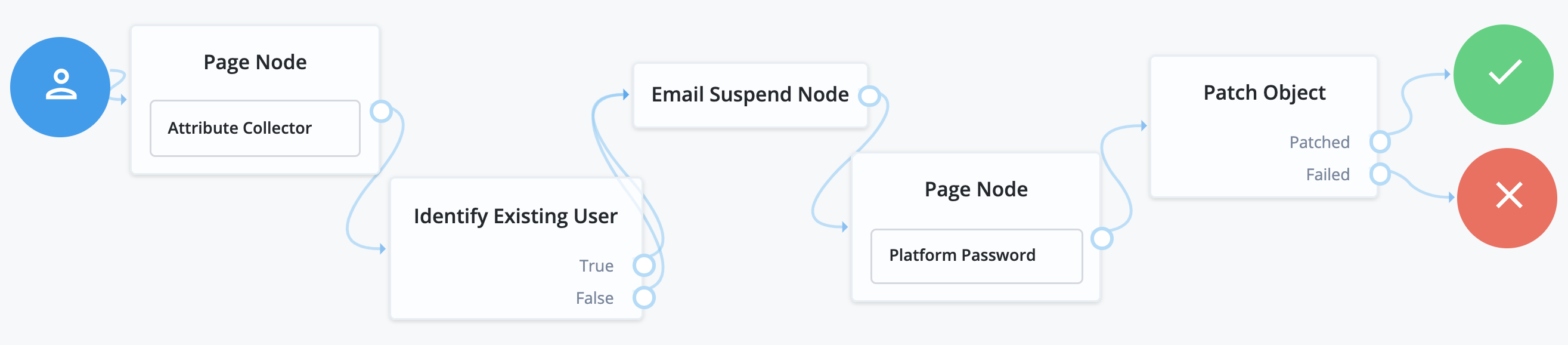
The Reset Password sample journey, requests a user’s email address, checks if a user with that email exists, and if so, emails a reset link to the user. The journey then waits until the user clicks the link before presenting a password reset prompt.
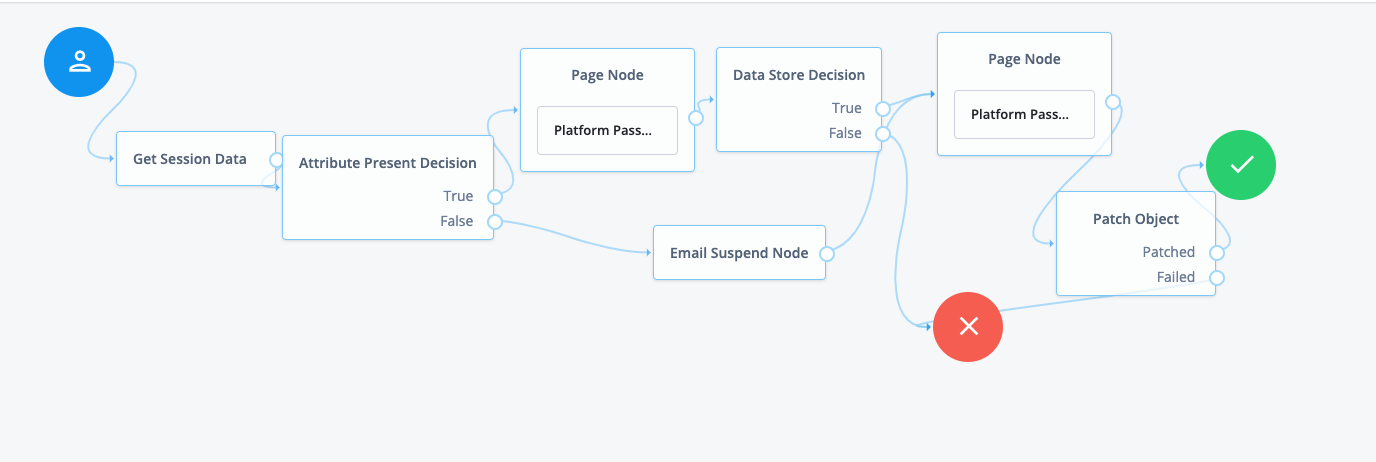
The Update Password sample journey allows end users to change their password when they are already logged in.
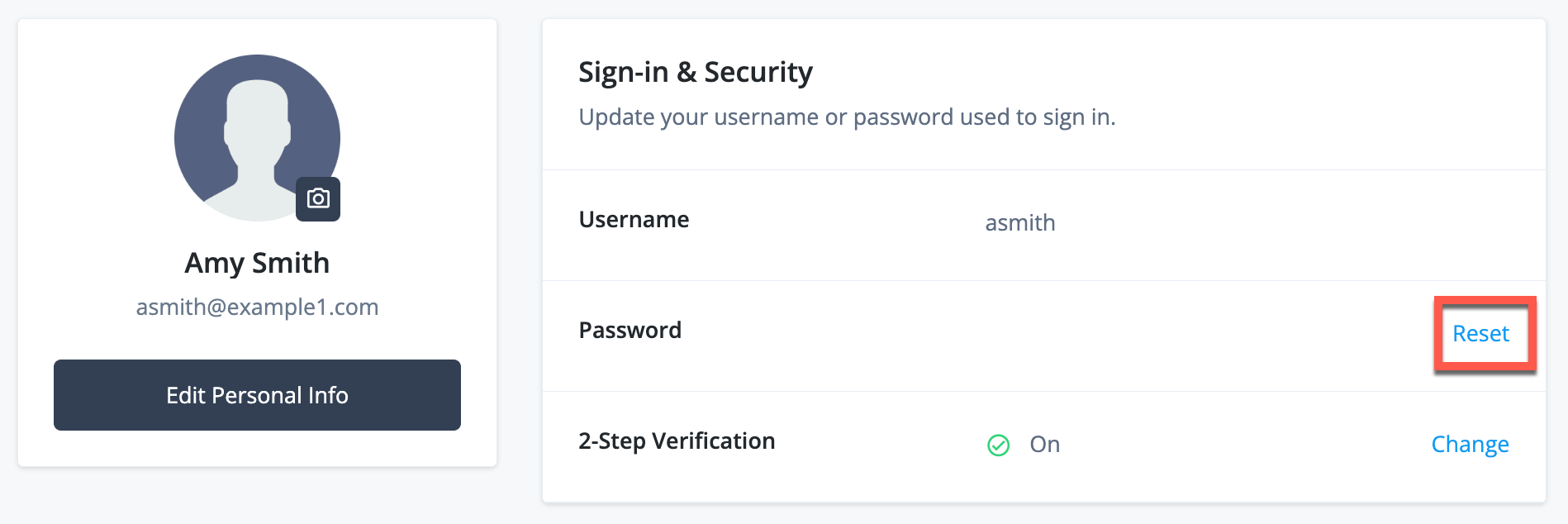
You would typically add the Update Password journey to the user’s profile settings. By default the journey is started from a “Reset” link on the end user’s Sign-in & Security settings in the End User UI:
You can easily adapt these sample journeys or create new password journeys to meet the needs of your organization.
To add additional security to your password journeys, ForgeRock supports multiple out-of-band verifications, including CAPTCHA integration, knowledge-based answers (KBAs), one-time passcode (OTP), and push notifications. You may also want to incorporate biometric authentication or third-party identity proofing nodes. See Extend journeys with ForgeRock Marketplace nodes for further information.
For further information on achieving self-service password reset with Identity Cloud, see:
-
Does the ForgeRock solution offer user self-service capabilities?
-
Demo: Password (training video)
-
Demo: Self-Service Features (training video)
-
Self-Service (training video)
-
Self-service Password Reset (ForgeRock Experience Center demo)
Business benefits
CIAM: By implementing a straightforward self-service password reset solution in Identity Cloud, you can drastically reduce the volume of calls to the help desk, while enhancing the overall user experience.
Workforce: Self-service empowers workforce users by giving them more control and choice and reducing their dependency on central IT teams. Reduced support call volume and associated costs and increases the productivity of your workforce users.
MFA method management
What is it?
With self-service MFA method management, end users can enroll, update or delete the MFA options they want to use without needing to contact a help desk.
How is it achieved in Identity Cloud?
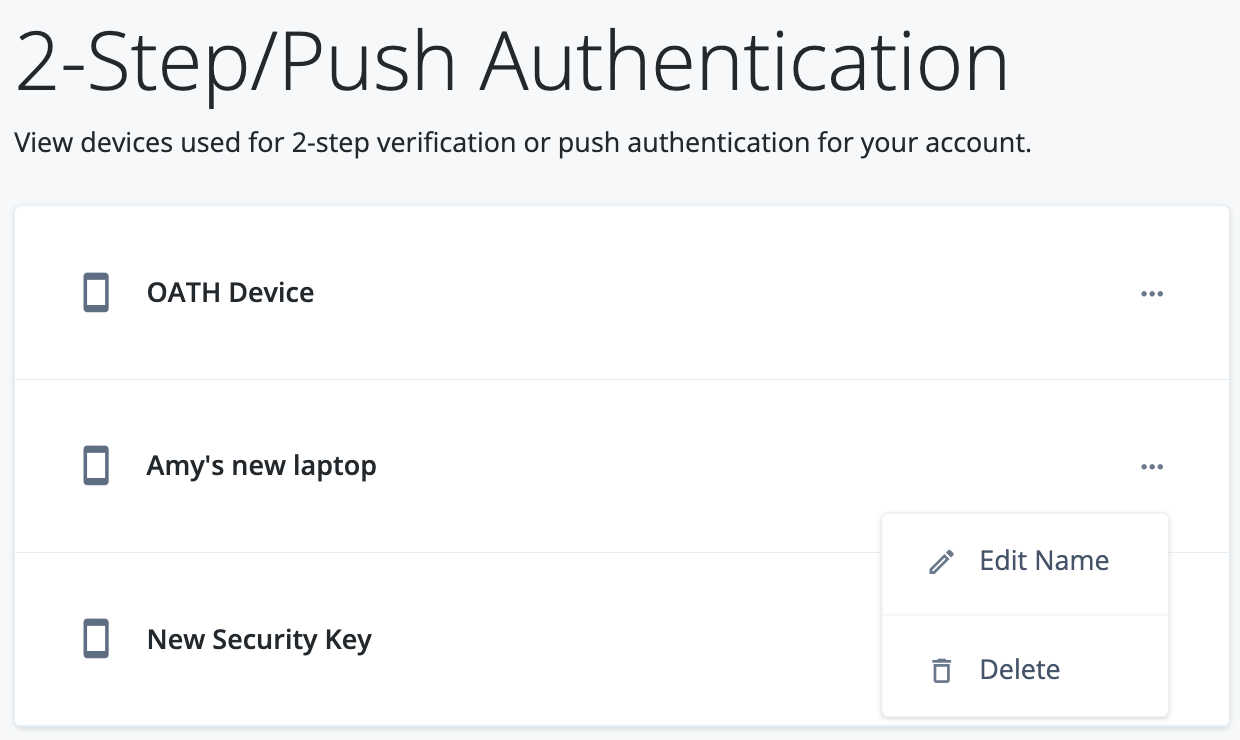
Users can manage their MFA methods at any time through the Sign-in & Security settings in the Identity Cloud End User UI:
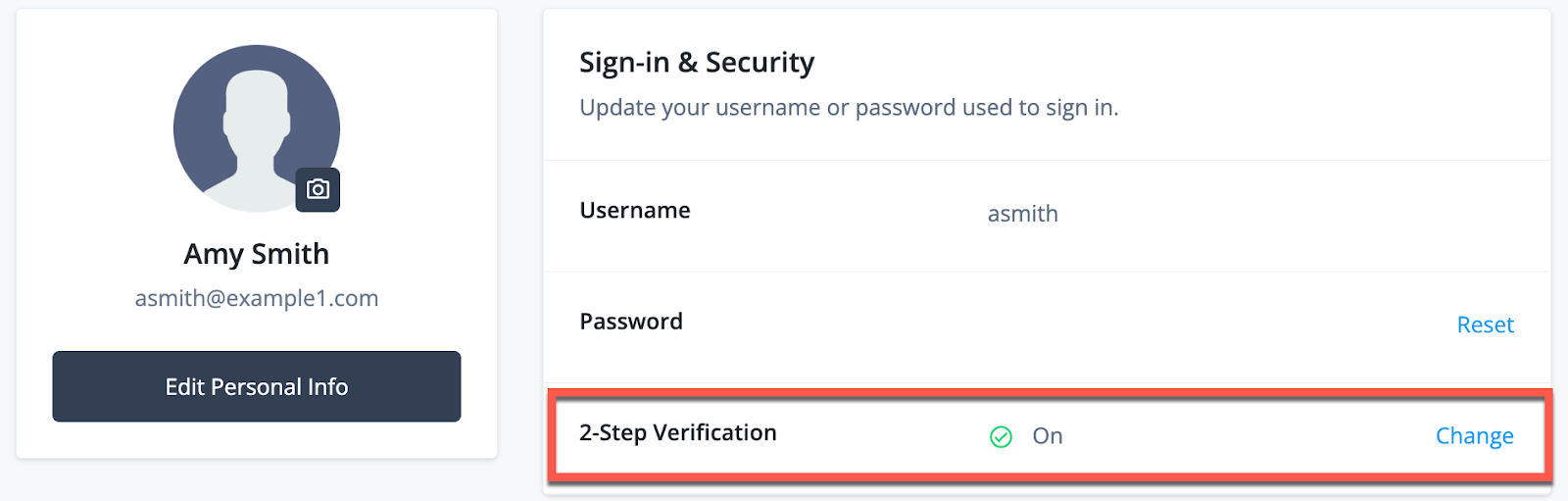
This allows users to view, rename and remove the devices and push methods used for MFA.
For further information on achieving self-service MFA method management with Identity Cloud, see:
-
Dynamic MFA (ForgeRock Experience Center demo)
Privacy and consent management
What is it?
With self-service privacy and consent management, end users can control what happens to personal data by allowing them to choose and manage with whom and for what reasons their data is shared.
How is it achieved in Identity Cloud?
Users can manage their privacy and consent at any time through the account profile settings in the Identity Cloud End User UI.
The following privacy and consent options are available:
-
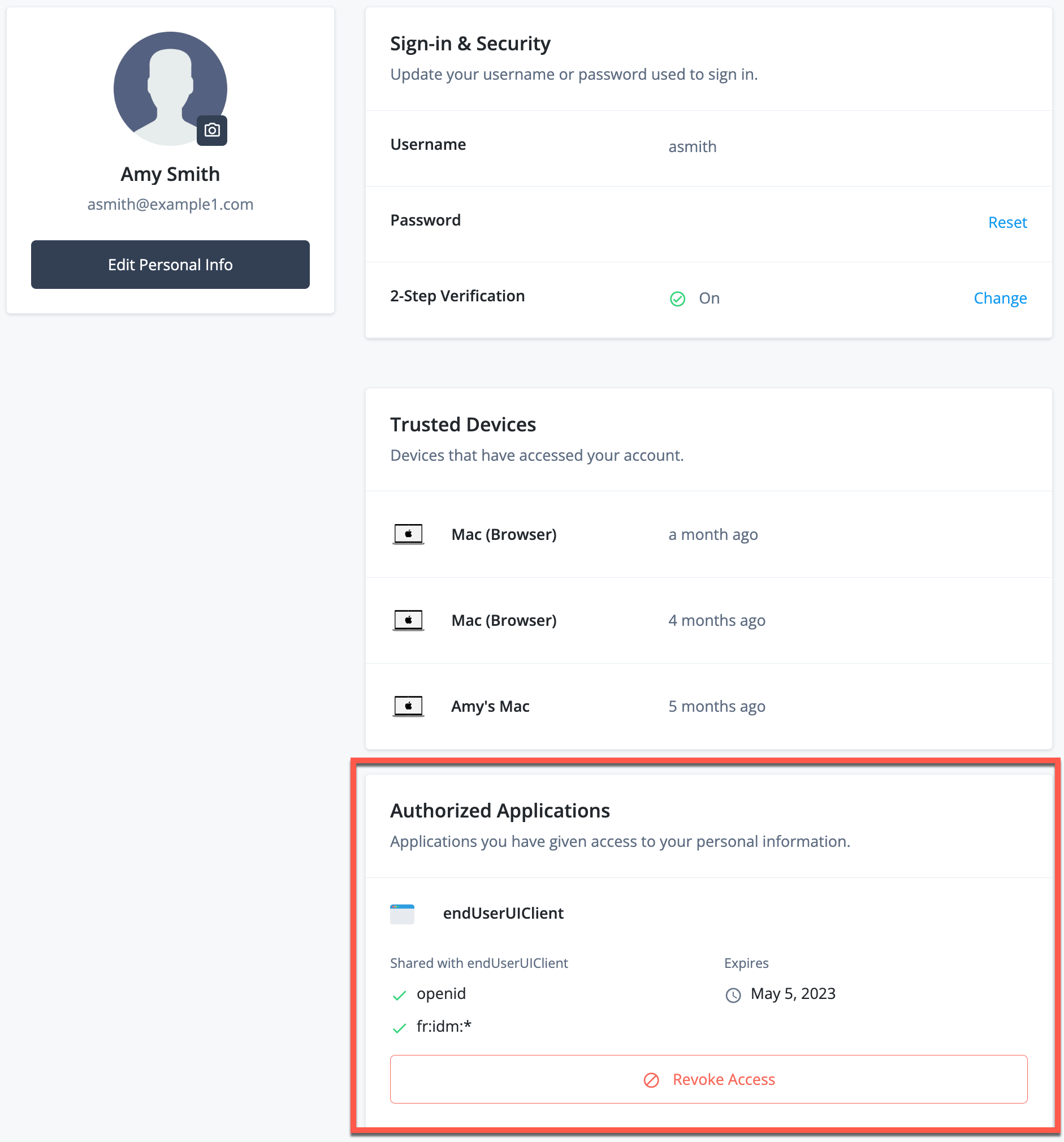
Authorized Applications: Revoke a client application’s access to the user’s personal information.
-
Personal Data Sharing: Allow or deny sharing of data, such as email addresses, with third parties for marketing purposes.
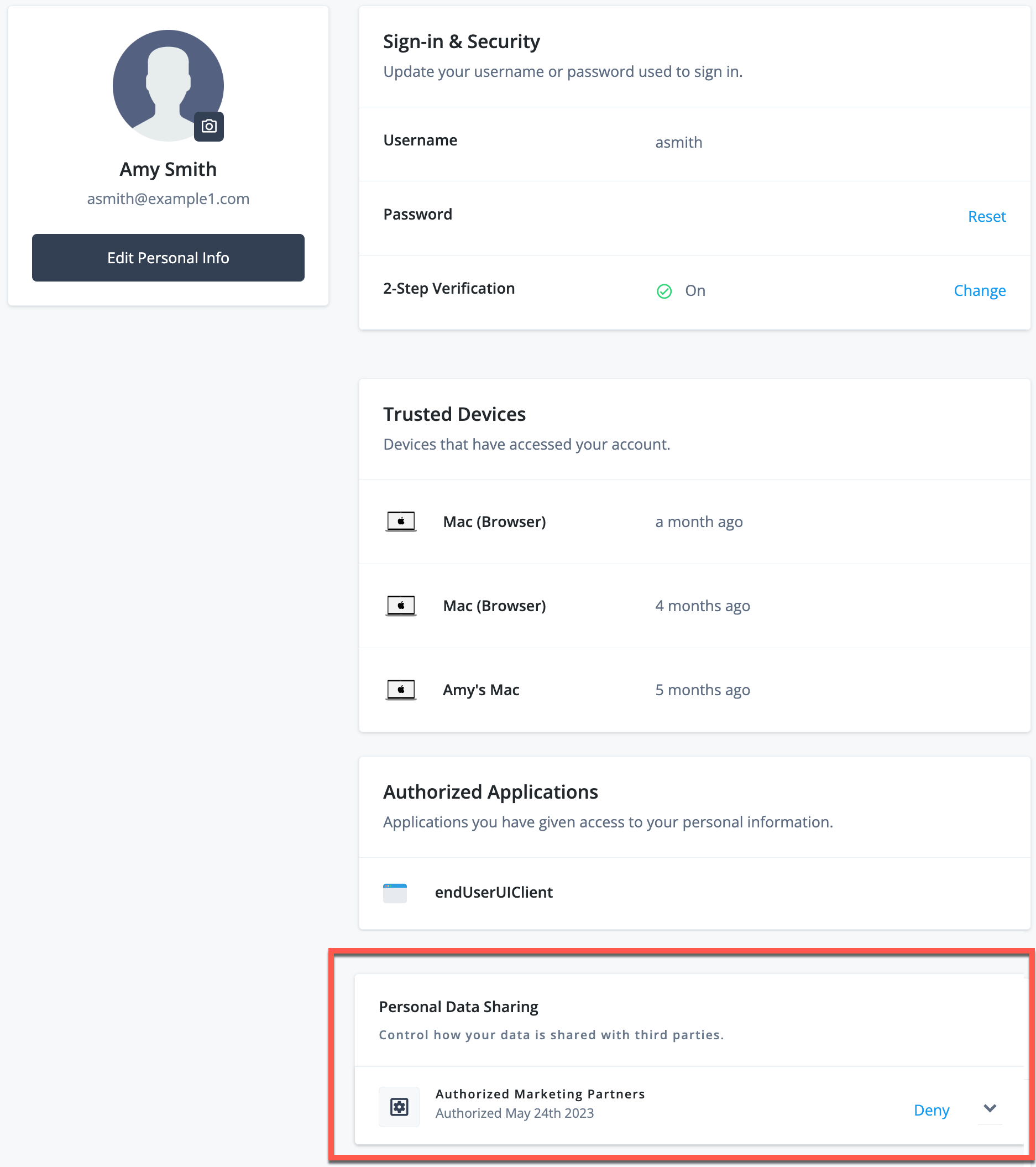
NOTE: The Authorized Applications and Personal Data Sharing options are not enabled by default in the End User UI. An administrator can add them via the Identity Cloud Admin UI, in Hosted Pages > Account Pages > Layout.
For further information on achieving self-service privacy and consent management with Identity Cloud, see:
-
Use case: Configure simple consent management in ForgeRock Identity Cloud
-
https://backstage.forgerock.com/knowledge/kb/article/a80824003[FAQ: Identity Cloud hosted End User UI]
-
Demo: Self-Service Features (training video)
-
Self-Service (training video)
Business benefits
Allowing users to manage privacy and consent is critical for maintaining compliance with current data privacy regulations such as the European Union General Data Protection Regulation (GDPR) and the California Consumer Protection Act (CCPA).
Privacy regulations such as GDPR mandate that users have control over their personal data, including privacy, security and usage preferences. For global and regional compliance, it is imperative that CIAM platforms include privacy and consent mechanisms.
Further, allowing users to manage their own accounts rather than relying on an organization’s support staff not only reduces support costs, but also improves user experience and customer engagement.
User profile and data management
What is it?
With self-service user profile and data management, end users can create, update and delete information about themselves in the identity management system. This may include their address, contact details, or other information.
How is it achieved in Identity Cloud?
Users can manage their own profile and account details at any time through the profile settings in the Identity Cloud End User UI. This includes personal data with the rights to correct, modify and delete personal data.
The following profile and data options are available:
-
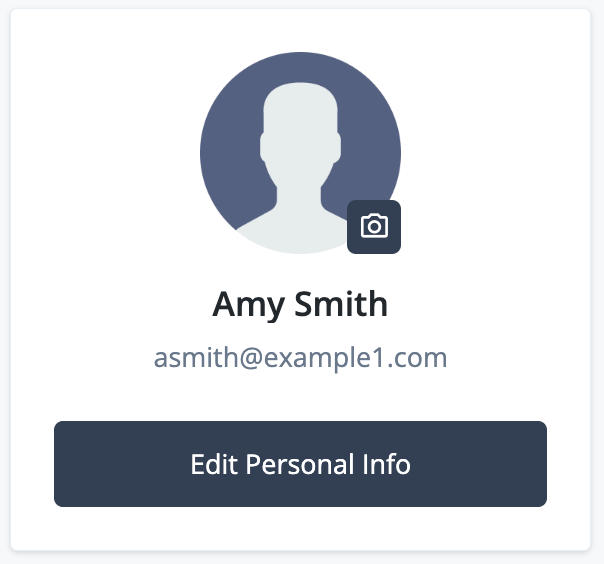
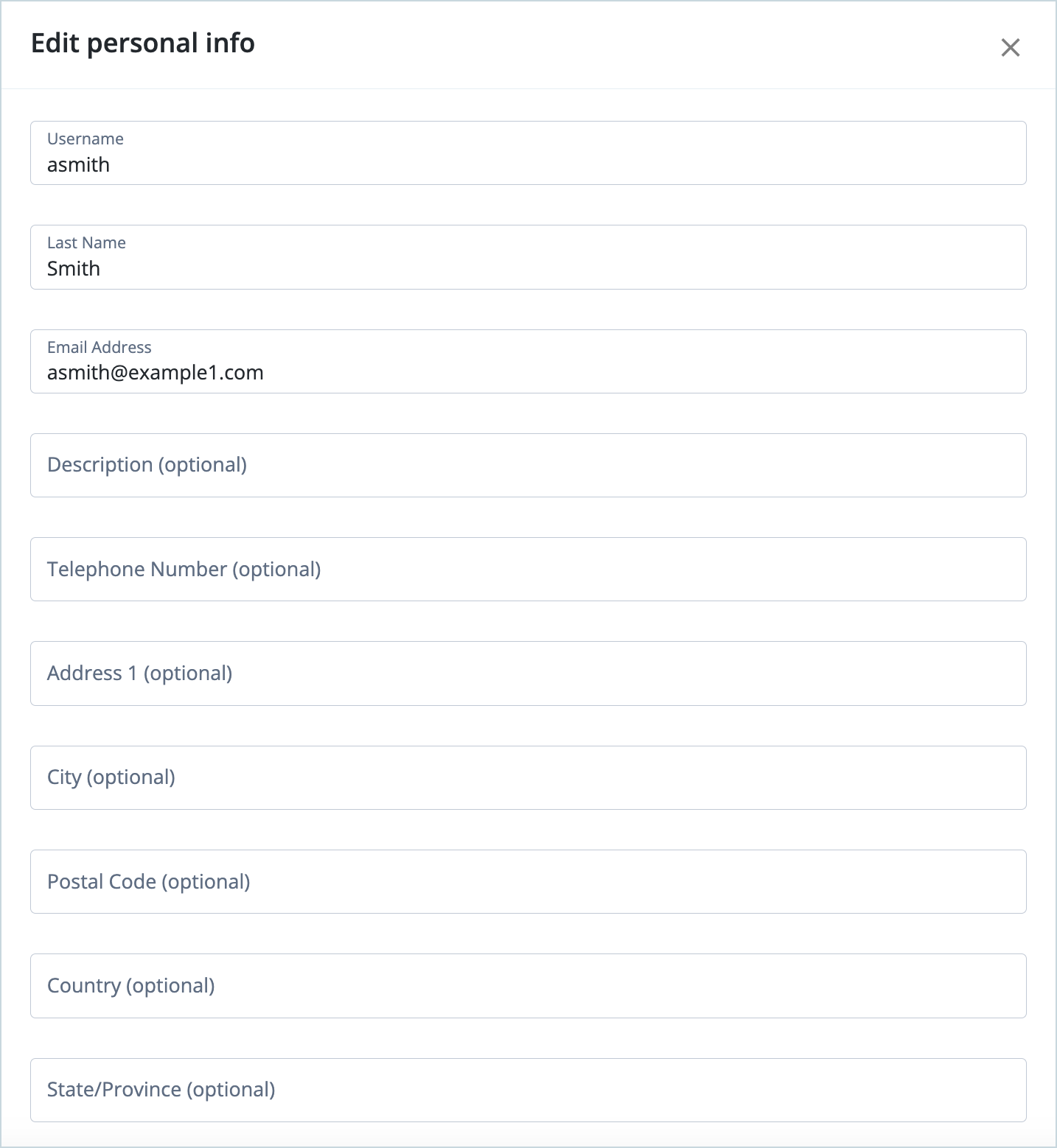
Edit Personal Info: Update personal information.
-
Account Controls: Download the account profile data, including personal information, account activity (the last time it was updated), device data, privacy and consent agreements, or delete the account:
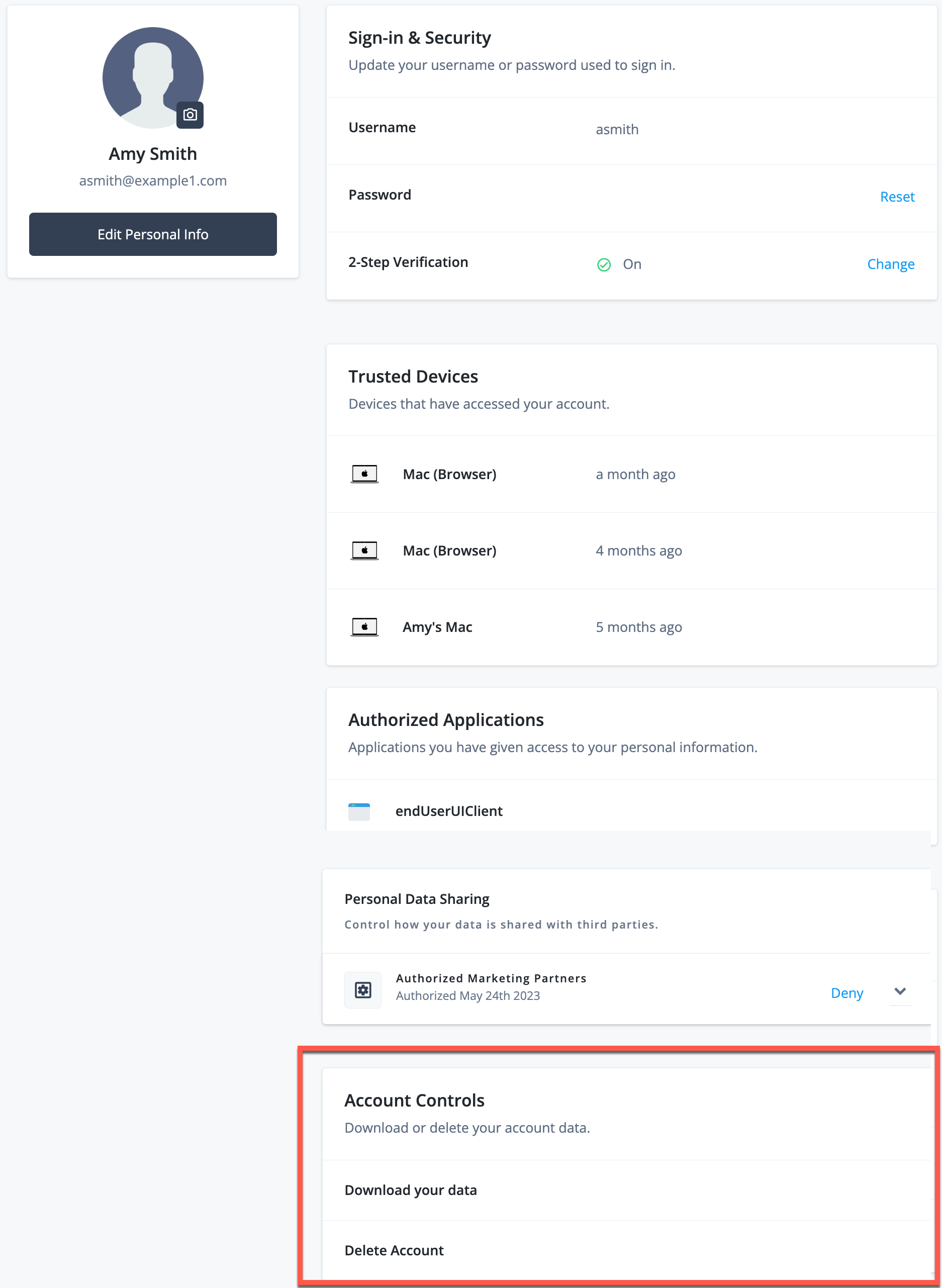
NOTE: Account Controls are not enabled by default in the End User UI. An administrator can add them via the Identity Cloud Admin UI, in Hosted Pages > Account Pages > Layout.
For further information on achieving self-service user profile and data management with Identity Cloud, see:
-
https://backstage.forgerock.com/knowledge/kb/article/a80824003[FAQ: Identity Cloud hosted End User UI]
-
Use case: Allow end users to update their profile attributes in ForgeRock Identity Cloud
-
Demo: Self-Service Features (training video)
-
Self-Service (training video)
Business benefits
Self-service management of personal data is critical for maintaining compliance with current data privacy regulations such as the European Union General Data Protection Regulation (GDPR) and the California Consumer Protection Act (CCPA).
Privacy regulations such as GDPR mandate that users have control over their personal data, including usage preferences and “the right to be forgotten” (account deletion). For global and regional compliance, it is imperative that CIAM platforms include user profiles and data management.
Further, allowing users to manage their own accounts rather than relying on an organization’s support staff not only reduces support costs, but also improves user experience and customer engagement.
User device management
What is it?
With self-service user device management, end users can manage the devices that are associated with their accounts such as mobile phones, tablets and smart devices.
How is it achieved in Identity Cloud?
Intelligent Access Journeys can be configured with device nodes to facilitate the registration of devices to the user’s account. For further details see Use case: Allow end users to manage trusted devices in ForgeRock Identity Cloud.
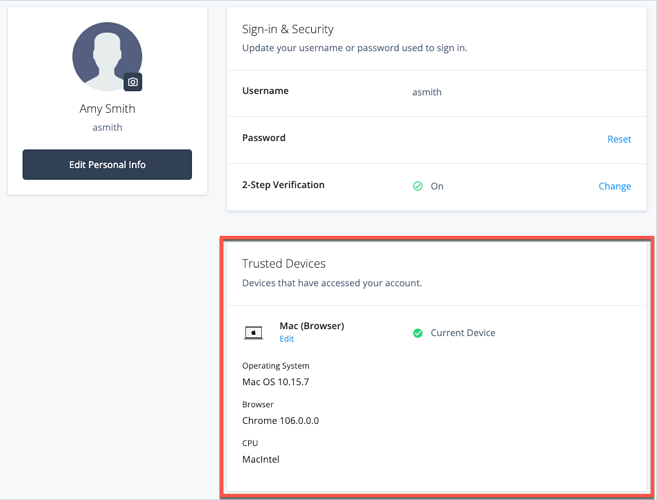
Users can track any devices paired with their account (known as trusted devices) through their account profile settings in the Identity Cloud End User UI:
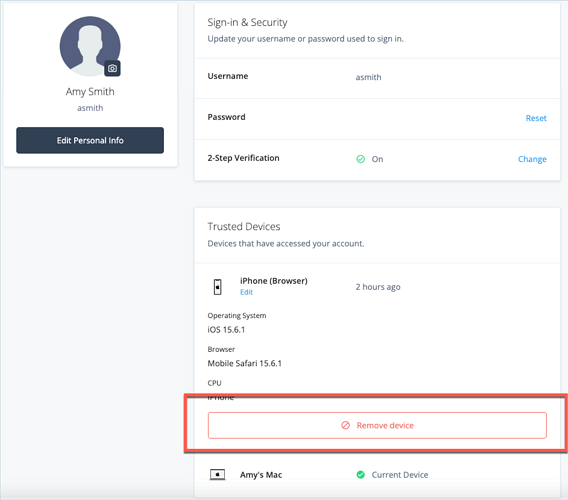
Users can also remove trusted devices from their accounts.
For further information on achieving self-service user device management with Identity Cloud, see:
-
https://backstage.forgerock.com/knowledge/kb/article/a80824003[FAQ: Identity Cloud hosted End User UI]
-
Use case: Allow end users to manage trusted devices in ForgeRock Identity Cloud
-
Demo: Self-Service Features (training video)
-
Self-Service (training video)
Business benefits
Allowing users to manage their own trusted devices adds another layer of security as well as a better user experience. User journeys can use information about the device’s security posture to add more context to the decision to allow or reject a self-service task. This allows you to have a fast lane for trusted devices and a slow lane with added friction for unknown devices.
Personalization
With personalization, users can decide how and when they want to be communicated with and what methods and devices are used to authenticate.
How is it achieved in Identity Cloud?
Intelligent Access Journeys provide the flexibility to allow users to select different options for authentication and communication while gathering additional information on users at particular time intervals or information access requests.
One example is to create a custom journey that offers a choice of MFA options to the user, including push notification, one-time passcode and security key (Webauthn), similar to this:
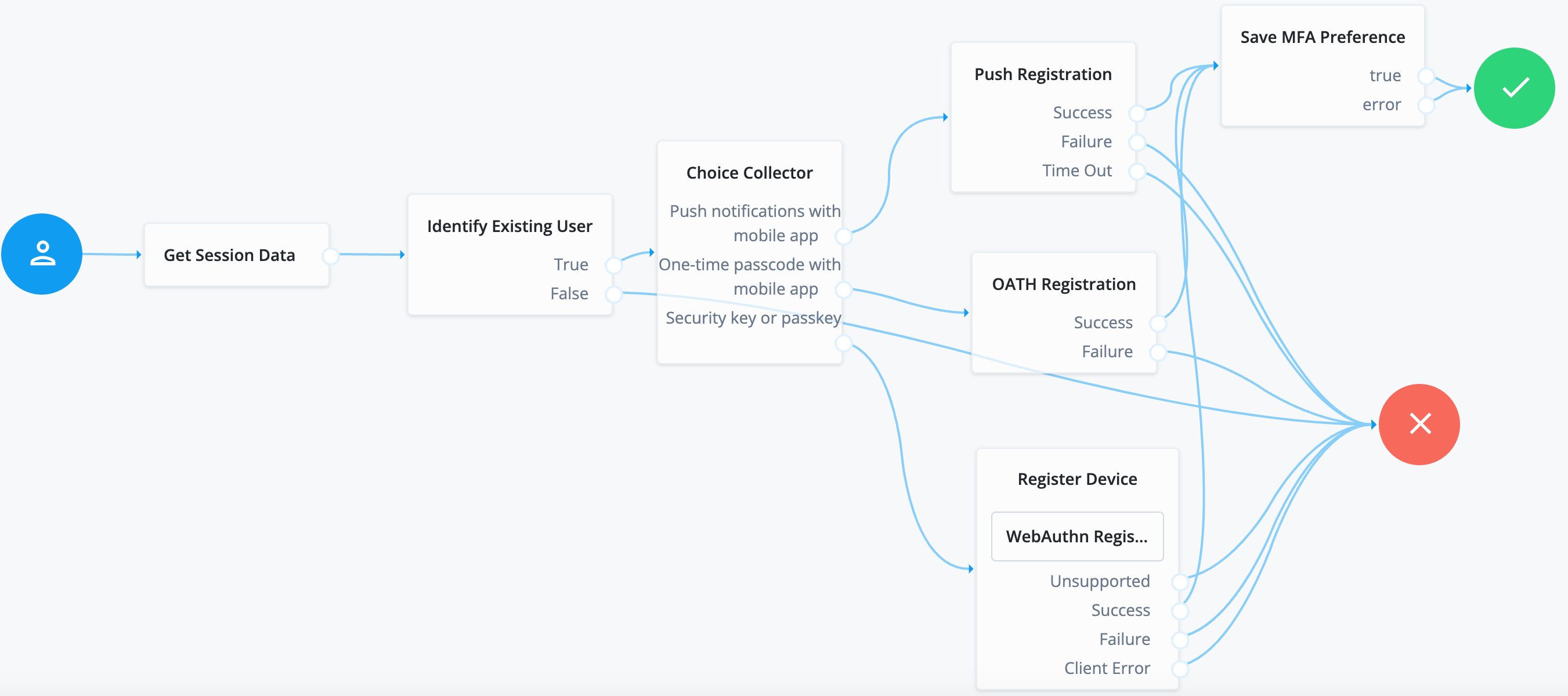
See here for a demonstration of this exmple journey.
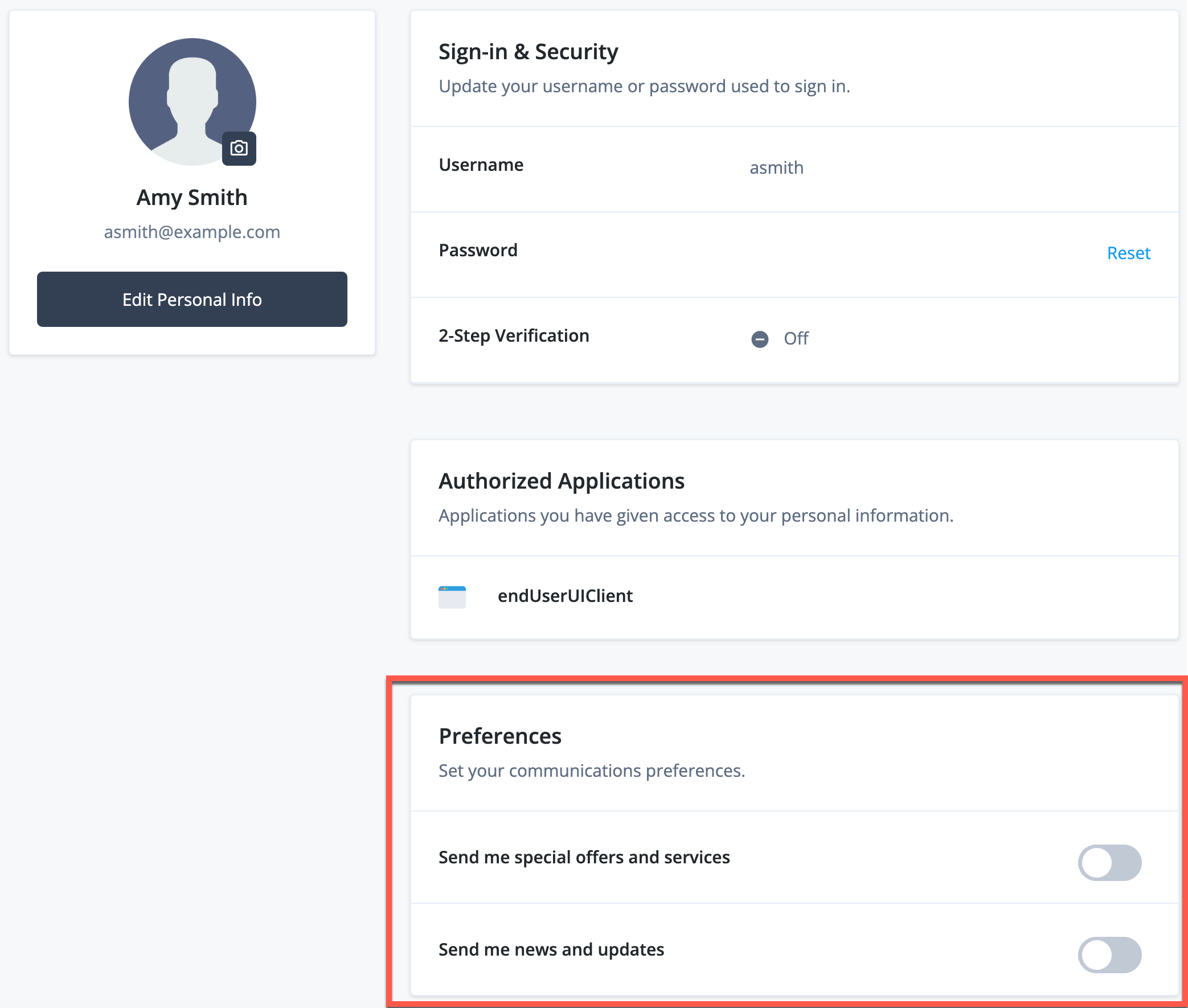
Another example is to allow users to choose their marketing and news and updates preferences during a Progressive Profile journey.
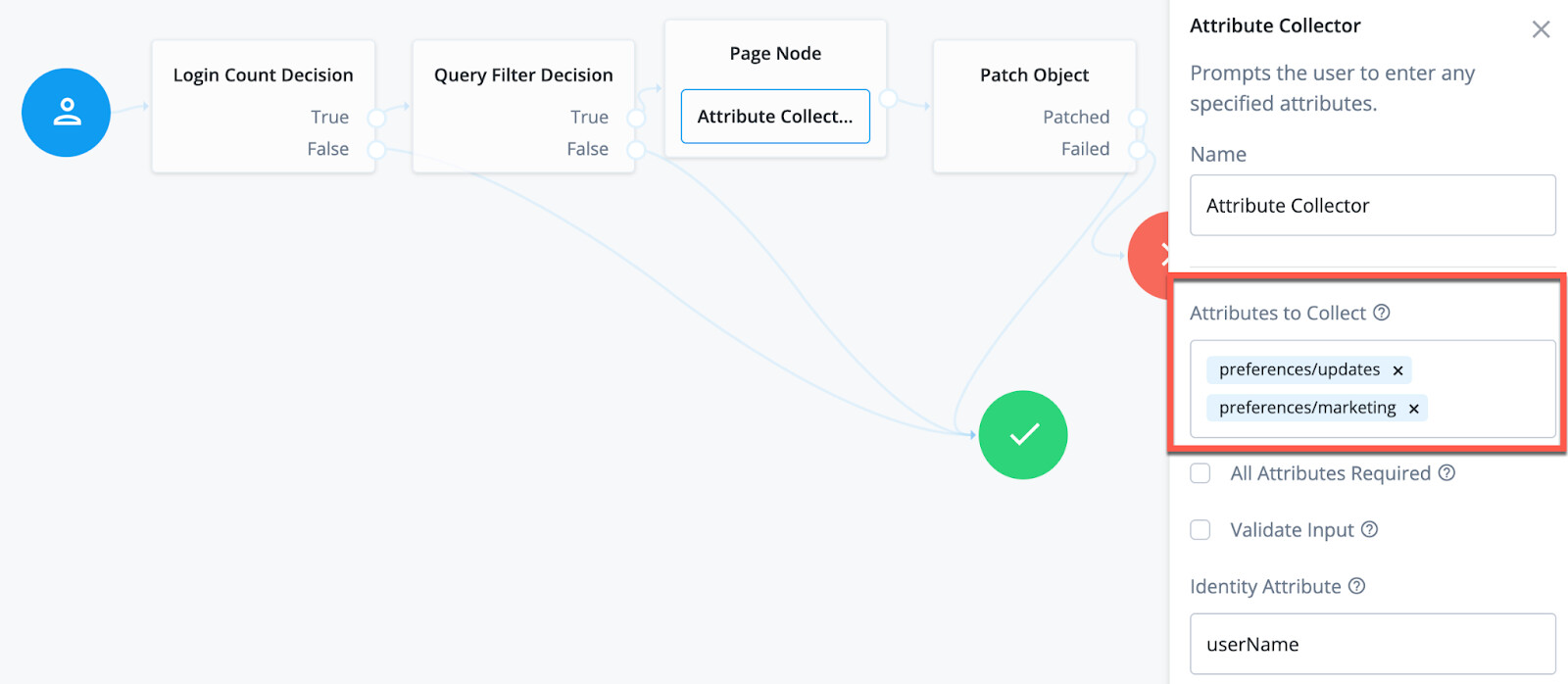
Users can manage their marketing and news and updates preferences at any time through the profile settings in the Identity Cloud End User UI.
For further information on achieving user personalization with Identity Cloud, see:
-
https://backstage.forgerock.com/knowledge/kb/article/a80824003[FAQ: Identity Cloud hosted End User UI]
-
Demo: Self-Service Features (training video)
-
Self-Service (training video)
Business benefits
Allowing users to make choices about their communications and authentication methods gives users control and choice while enhancing the overall user experience. It also enables organizations to gather identity information on their users so that they can tailor communications to address their interests effectively.
Self-service management of marketing preferences is also critical for maintaining compliance with current data privacy regulations such as the European Union General Data Protection Regulation (GDPR) and the California Consumer Protection Act (CCPA). Privacy regulations such as GDPR mandate that users have control over their personal data, including “the right to object to processing”.