How To Upgrade ForgeOps 7.4 to 7.5
Author: |
Hope Sun |
Created at: |
Aug 2024 |
Updated at: |
Aug 2024 |
Prerequisites and assumptions
To upgrade the platform from version 7.4 to 7.5, you’ll need:
-
A running version 7.4 single-instance deployment with your current AM and IDM configurations.
-
A running version 7.4 small, medium, or large ForgeOps deployment.
-
A forgeops repository clone with a branch that contains 7.4 artifacts.
-
A forgeops repository clone with a branch that contains 7.5 artifacts.
Example commands in the steps on this page assume:
-
7.4-profile is the name of the 7.4 configuration profile.
-
Your 7.4 small, medium, or large ForgeOps deployment is a small cluster.
-
Your 7.4 small, medium, or large ForgeOps deployment does not include IG.
Environment
During the writing of this article, I used the following directory for my 7.4 lab environment: (You’ll see this path used as a reference in some of the provided example commands)
$HOME/hope74/forgeops/docker/am/config-profiles

$ ls -l

README.txt am-only cdk

Creating Circle of trust, demo userUpgrade the platform from version 7.4 to 7.5:
1. Clone the 7.5 repo
Navigate to the directory where you want to clone the 7.5 repository and run the clone command:
Example:
$ git checkout release/7.5-20240618
2. Export the version 7.4 AM and IDM configurations
Navigate to your forgeops 7.4 directory and export the AM and IDM configurations:
Example:
cd $HOME/hope74/forgeops

$ ./bin/config export am 7.4-profile --sort

$ ./bin/config export idm 7.4-profile --sortUpgrade the exported configuration profiles to version 7.5:
-
Locate the branch of your forgeops repository clone that contains version 7.5
Example:
$HOME/hope75/forgeops
-
Copy the configuration profiles you exported from your 7.4 single-instance deployment into the 7.5 branch:
-
Copy the AM 7.4 configuration profile into the /path/to/forgeops/docker/am/config-profiles directory.
-
Copy the IDM 7.4 configuration profile into the /path/to/forgeops/docker/idm/config-profiles directory.
-
Example:
cp -rf $HOME/hope74/forgeops/docker/am/config-profiles/7.4-profile $HOME/hope75/forgeops/docker/am/config-profilescp -rf $HOME/hope74/forgeops/docker/idm/config-profiles/7.4-profile $HOME/hope75/forgeops/docker/idm/config-profilesUpgrade the AM configuration in the 7.5 branch.
-
Run the am-config-upgrader utility:
Locate the branch of your forgeops repository clone that contains version 7.5
Example:
$ cd $HOME/hope75/forgeops $ ./bin/am-config-upgrader docker/am/config-profiles/7.4-profile
# Output should include: Writing configuration to new location at /am-config/config/services...
Upgrade Completed, modified configuration saved to /am-config/config/services-
Upgrade the IDM configuration in the 7.5 branch. Follow the steps in Migrate your configuration in the IDM documentation.
-
Run the git add . and git commit commands.
Upgrade the 7.4 pods to 7.5 and build custom 7.5 Docker images
-
Set your Kubernetes context so that you can access the cluster on which you deployed the version 7.4 small, medium, or large ForgeOps deployment
-
Check out the branch of your forgeops repository clone that contains version 7.5 artifacts.
If you’ve checked out a branch that contains version 7.4 artifacts, the forgeops install command reinstalls version 7.4 instead of upgrading your pods to version 7.5. -
(Optional) If your 7.4 ForgeOps deployment uses the deprecated DS operator and you want to continue using it, skip this step.
Remove the deprecated DS operator from your small, medium, or large ForgeOps deployment: -
Remove ldif-importer and amster jobs if they exist:
$ kubectl delete job ldif-importer amster -
Install the ForgeOps 7.5 base components:
$ ./forgeops install base --small --fqdn my-fqdn
Example:
$ cd  $HOME/hope75/forgeops/bin
$ ./forgeops install base --fqdn hope74.iam.forgeops.com(Replace hope74.iam.forgeops.com with your domain FQDN.)
Upgrade the ds-cts pods from 7.4 to 7.5:
-
$ cd /path/to/forgeopsExample: cd
/$HOME/hope75/forgeops -
` $ ./bin/forgeops install ds-cts --small`
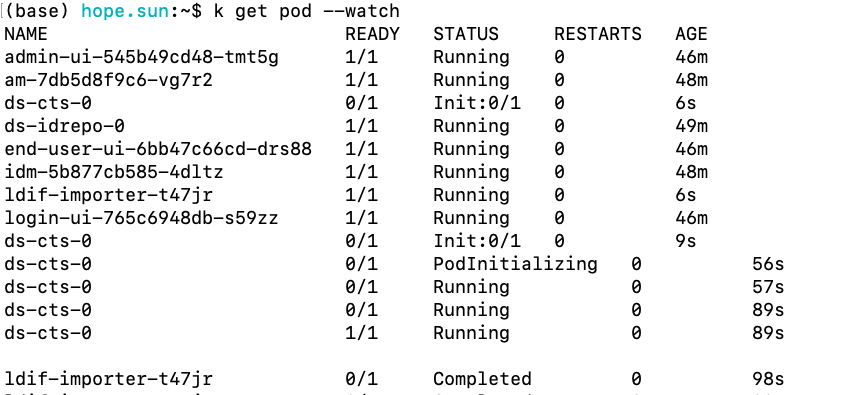
This command updates one ds-cts pod at a time.
Run the kubectl get pods --watch command to observe the pod upgrades.
After all the ds-cts pods have been upgraded, run the ds-debug.sh command to verify that directory replication is working correctly.
Run commands similar to the following for each ds-cts pod:
$ ./bin/ds-debug.sh -p ds-cts-0 status

Upgrade the ds-idrepo pods from 7.4 to 7.5:
$ cd /path/to/forgeops
Example: cd /$HOME/hope75/forgeops
$ ./bin/forgeops install ds-idrepo --small
This command updates one ds-idrepo pod at a time. Run the
kubectl get pods --watch command to observe the pod upgrades.
After all the ds-idrepo pods have been upgraded,
run the ds-debug.shcommand to verify that directory replication is working correctly.
Run commands similar to the following for each ds-idrepo pod:
$ ./bin/ds-debug.sh -p ds-idrepo-0 rstatus

Build Docker Images for version 7.5 that contain the 7.4-profile configuration profile:
-
Check out the branch of your forgeops repository clone that contains version 7.5 artifacts. This branch should contain the 7.4-profile configuration profile you upgraded to work with version 7.5.
-
Build Docker images for version 7.5 that contain the 7.4-profile configuration profile:
-
$ cd /path/to/forgeopsExample:
$HOME/hope75/forgeops -
$ ./bin/forgeops build am --config-profile 7.4-profile --push-to gcr.io/engineering-devops/hope74 -
$ ./bin/forgeops build idm --config-profile 7.4-profile --push-to gcr.io/engineering-devops/hope74
-
(Replace gcr.io/engineering-devops/hope74 with your Google Console
directory name)
The newly-built Docker images are based on ForgeRock’s evaluation-only Docker images.
Upgrade the ForgeRock Identity Platform pods from 7.4 to 7.5:
Run the following commands to upgrade the ForgeRock Identity Platform pods
-
$ ./bin/forgeops install ui --small
-
$ ./bin/forgeops install am --small
-
$ ./bin/forgeops install idm --small
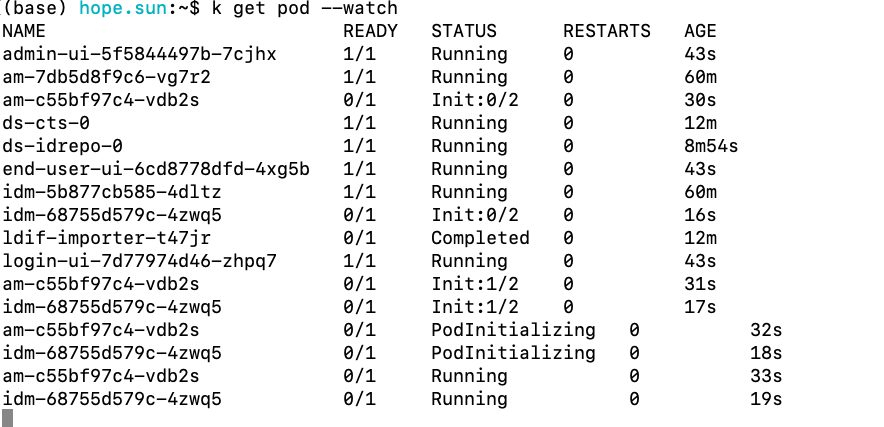
Wait for the pod upgrades to complete.
Run the kubectl get pods --watch command to observe the pod upgrades.
Verify the platform is now version 7.5
-
Start the AM and IDM admin UIs in your upgraded small, medium, or large ForgeOps deployment. Verify that:
-
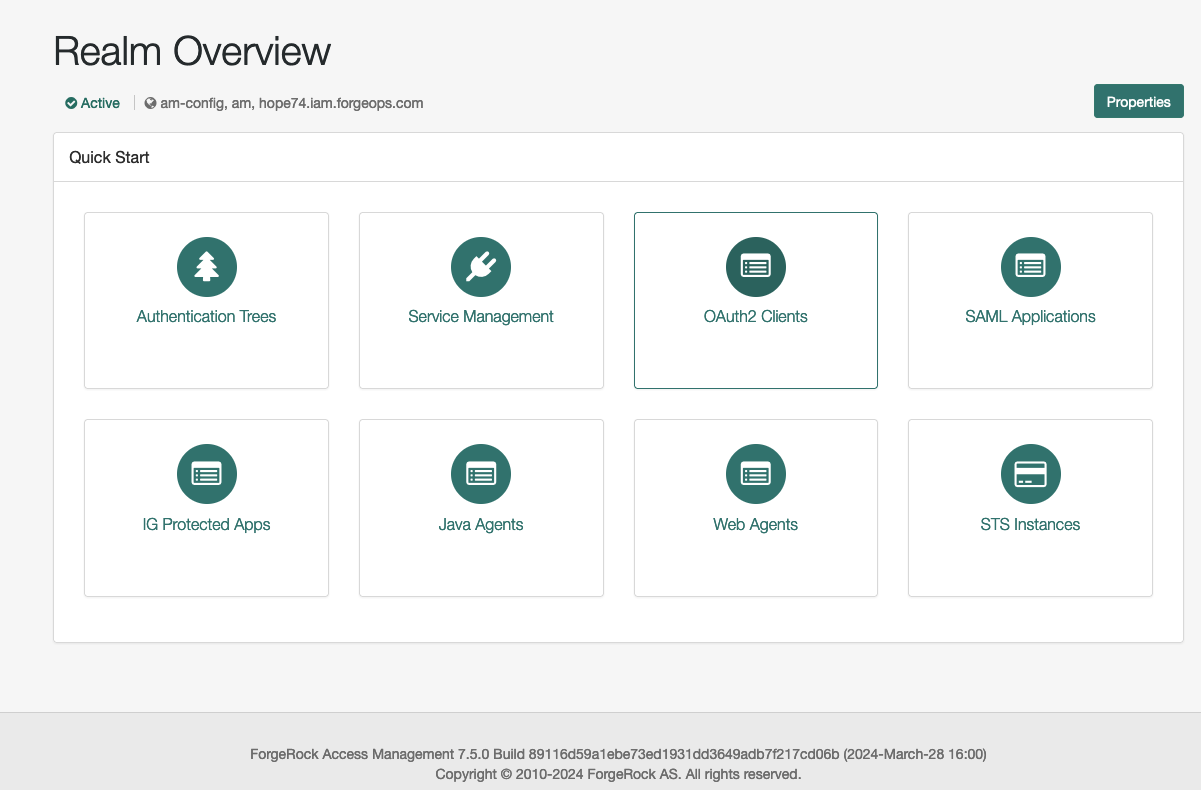
The start page for each admin UI indicates the component version is 7.5, not 7.4.
-
AM and IDM use your custom configuration.
-
If you are using a Kubernetes-based ForgeRock Identity Platform deployment in production, you must rebuild base Docker images for version 7.5, and then build custom Docker images based on those images:
-
Build your own Docker base images. Refer to Your own base Docker images for more information.
-
Rebuild your custom Docker images, basing them on the images you built in the previous step. Refer to Create Docker images for use in production for more information.