Runtime configuration for ForgeRock Identity Microservices using
Author: |
Sheila Albertelli |
Created at: |
Apr 2018 |
Updated at: |
Dec 2022 |
Written by Javed Shah
Please note that the EA program for Microservices has ended. The code provided in this post is not supported by ForgeRock.
The ForgeRock Identity Microservices are able to read all runtime configuration from environment variables. These could be statically provided as hard coded key-value pairs in a Kubernetes manifest or shell script, but a better solution is to manage the configuration in a centralized configuration store such as Hashicorp Consul.
Managing configuration outside the code as such has been routinely adopted as a practice by modern service providers such as Google, Azure and AWS and business that use both cloud as well as on-premise software.
In this post, I shall walk you through how Consul can be used to set configuration values, envconsul can be used to read these key-values from different namespaces and supply them as environment variables to a subprocess. Envconsul can even be used to trigger automatic restarts on configuration changes without any modifications needed to the ForgeRock Identity Microservices.
Perhaps even more significantly, this post shows how it is possible to use Docker to layer on top of a base microservice docker image from the Forgerock Bintray repo and then use a pre-built go binary for envconsul to spawn the microservice as a subprocess.
This github.com repo has all the docker and kubernetes artifacts needed to run this integration. I used a single cluster minikube setup.
Consul
Starting a Pod in Minikube
We must start with setting up consul as a docker container and this is
just a simple docker pull consul followed by a
kubectl create -f kube-consul.yaml that sets up a pod running consul
in our minikube environment. Consul creates a volume called /consul/data
on to which you can store configuration key-value pairs in JSON format
that could be directly imported using consul kv import @file.json.
consul kv export > file.json can be used to export all stored
configuration separated into JSON blobs by namespace.
The consul commands can be run from inside the Consul container by
starting a shell in it using
docker exec -ti <consul-container-name> /bin/sh
Configuration setup using Key Value pairs
The namespaces for each microservice are defined either manually in the
UI or via REST calls such as:
consul kv put my-app/my-key may-value
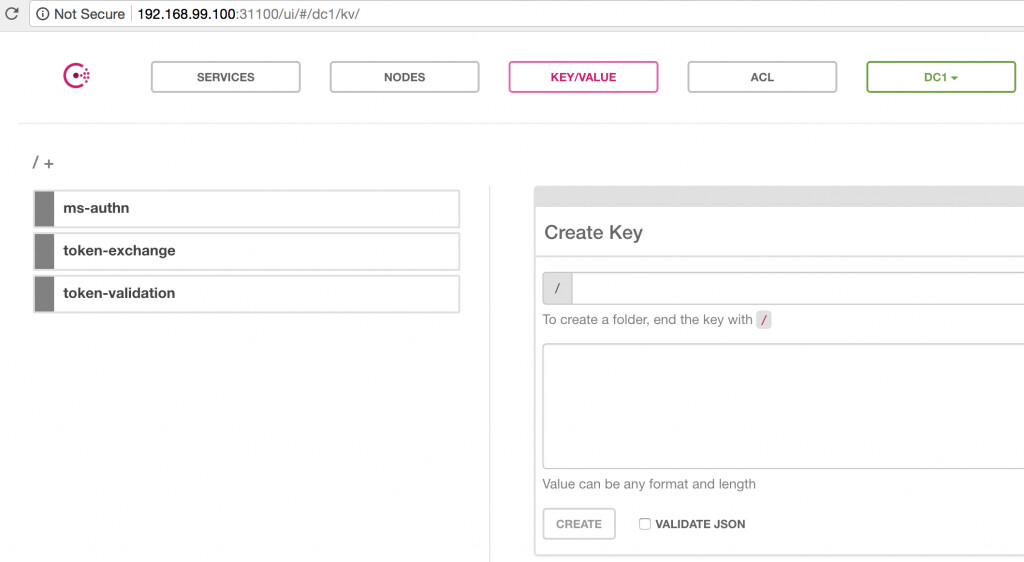
Expanding the ms-authn namespace yields the following screen:
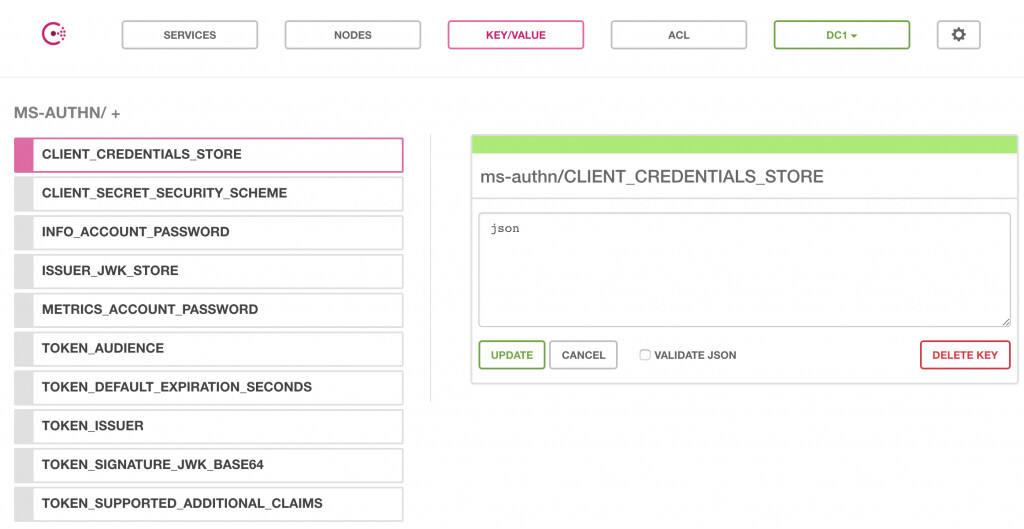
A sample configuration set for all three microservices is available in
the github.com repo for this integration
here.
Use consul kv import @consul-export.json to import them into your
consul server.
Docker Builds
Base Builds
First, I built base images for each of the ForgeRock Identity
microservices without using an ENTRYPOINT instruction. These images
are built using the openjdk:8-jre-alpine base image which are the
smallest alpine-based openjdk image one can possibly find. The openjdk7
and openjdk9 images are larger. Alpine itself is a great choice for a
minimalistic docker base image and provides packaging capabilities using
apk. It is a great choice for a base image especially if these are to be
layered on top of like in this demonstration.
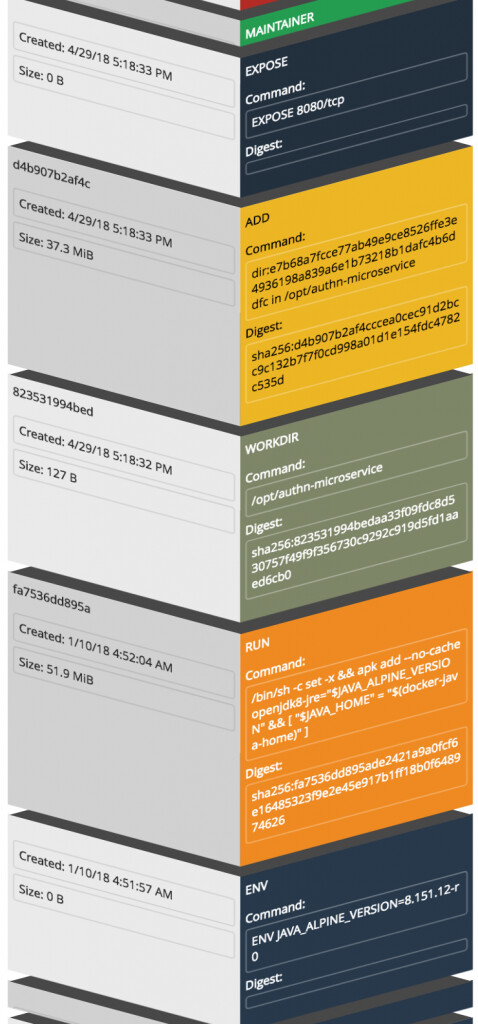
An example for the Authentication microservice is:
FROM openjdk:8-jre-alpine WORKDIR /opt/authn-microservice ADD . /opt/authn-microservice EXPOSE 8080
The command docker build -t authn:BASE-ONLY builds the base image but
does not start the authentication listener since no CMD or
ENTRYPOINT instruction was specified in the Dockerfile.
The graphic below shows the layers the microservices docker build added on top of the openjdk:8-jre-alpine base image:
Next, we need to define a launcher script that uses a pre-built envconsul go binary to setup communication with the Consul server and use the key-value namespace for the authentication microservice.
/usr/bin/envconsul -log-level debug -consul=192.168.99.100:31100 -pristine -prefix=ms-authn /bin/sh -c "$SERVICE_HOME"/bin/docker-entrypoint.sh
A lot just happened there!
We instructed the launcher script to start envconsul with an address for
the Consul server and nodePort defined in the
kube-consul.yaml
previously. The switch -pristine tells envconsul to not merge extant
environment variables with the ones read from the Consul server. The
-prefix `switch identifies the application namespace we want to
retrieve configuration for and the shell spawns a new process for the
docker-entrypoint.sh script which is an `ENTRYPOINT
instruction for the
authentication microservice tagged as 1.0.0-SNAPSHOT. Note that this is
not used in our demonstration, but instead we built a BASE-ONLY tagged
image and layer the envconsul binary and launcher script (shown next) on
top of it. The -c switch enables tracking of changes to configuration
values in Consul and if detected the subprocess is restarted
automatically!
Envconsul Build
With the envconsul.sh script ready as shown above, it is time to build a new image using the base-only tagged microservice image in the FROM instruction as shown below:
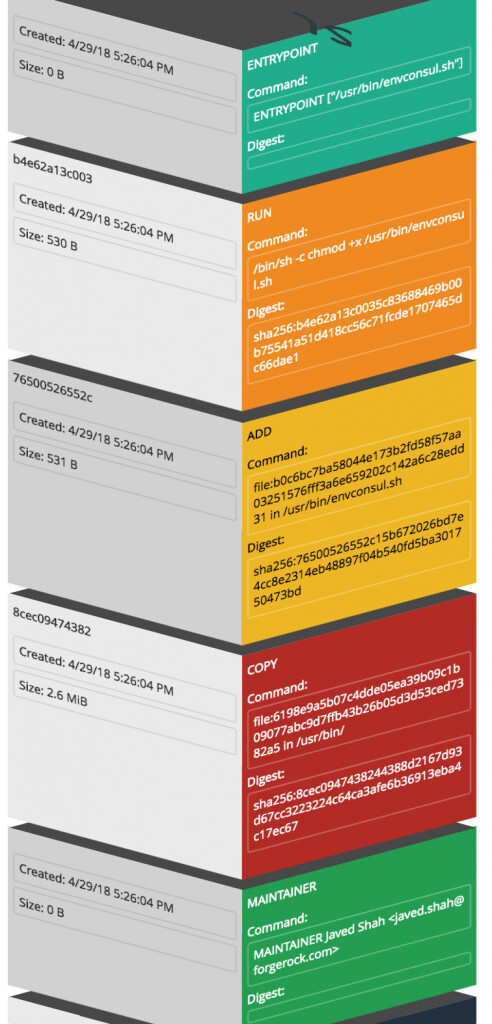
FROM forgerock-docker-public.bintray.io/microservice/authn:BASE-ONLY MAINTAINER Javed Shah <javed.shah@forgerock.com> COPY envconsul /usr/bin/ ADD envconsul.sh /usr/bin/envconsul.sh RUN chmod +x /usr/bin/envconsul.sh ENTRYPOINT ["/usr/bin/envconsul.sh"]
This Dockerfile includes the COPY instruction to add our pre-built
envconsul go-binary that can run standalone to our new image and also
adds the envconsul.sh script shown above to the /usr/bin/ directory.
It also sets the +x permission on the script and makes it the
ENTRYPOINT for the container.
At this time we used the docker build -t authn:ENVCONSUL . command to
tag the new image correctly. This is available at the ForgeRock Bintray
docker repo as well.
This graphic shows the layers we just added using our Dockerfile instruction set above to the new ENVCONSUL tagged image:
These two images are available for use as needed by the
github.com
repo.
Kubernetes Manifest
It is a matter of pulling down the correctly tagged image and specifying
one key item, the hostAliases instruction to point to the OpenAM
server running on the host. This server could be anywhere, just update
the hostAliases accordingly. Manifests for the three microservices are
available in the github.com repo.
Start the pod with kubectl create -f kube-authn-envconsul.yaml will
cause the following things to happen, as seen in the logs using
kubectl logs ms-authn-env.
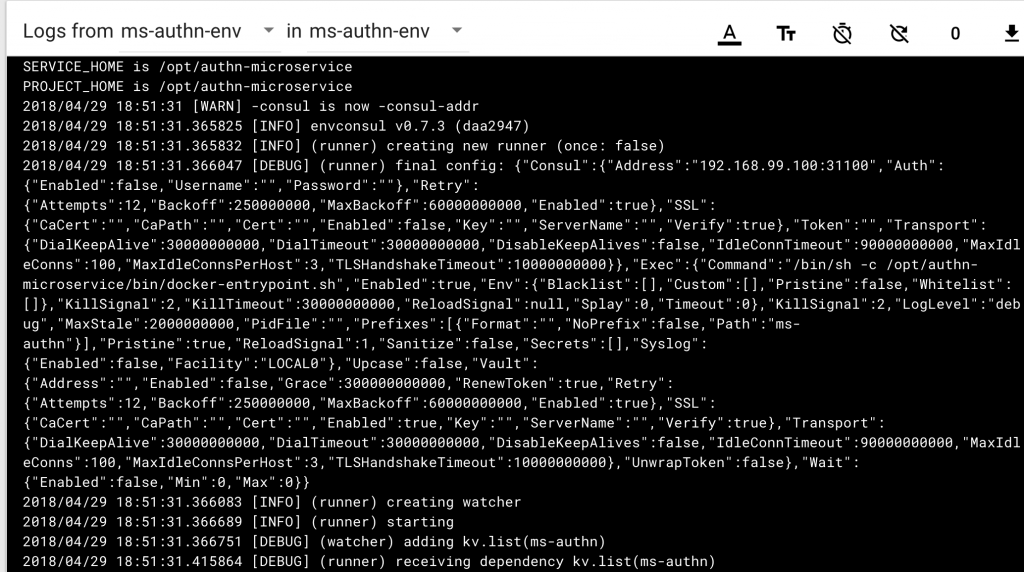
This shows that envonsul started up with the address of the Consul
server. We deliberately used the older -consul flag for more “haptic”
feedback from the pod if you will. Now that envconsul started up, it
will immediately reach out to the Consul server unless a Consul agent
was provided in the startup configuration. It will fetch the key-value
pairs for the namespace ms-authn and make them available as environment
variables to the child process!
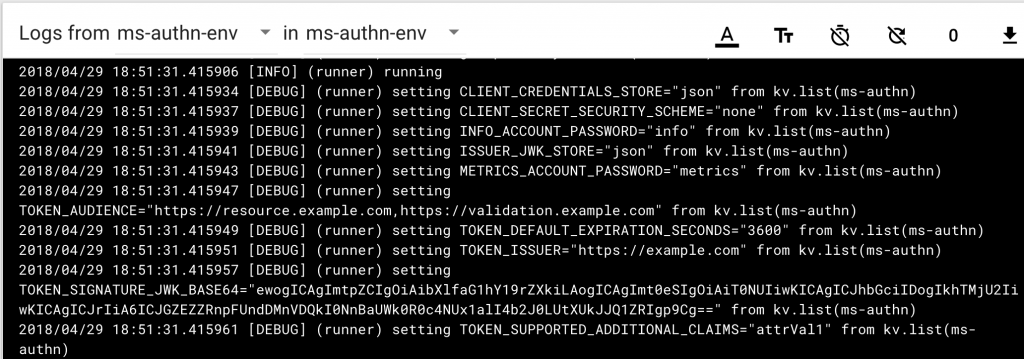
The configuration has been received from the server and at this time envconsul is ready to spawn the child process with these key-value pairs available as environment variables:

The Authentication microservice is able to startup and read its configuration from the environment provided to it by envconsul.
Change Detection
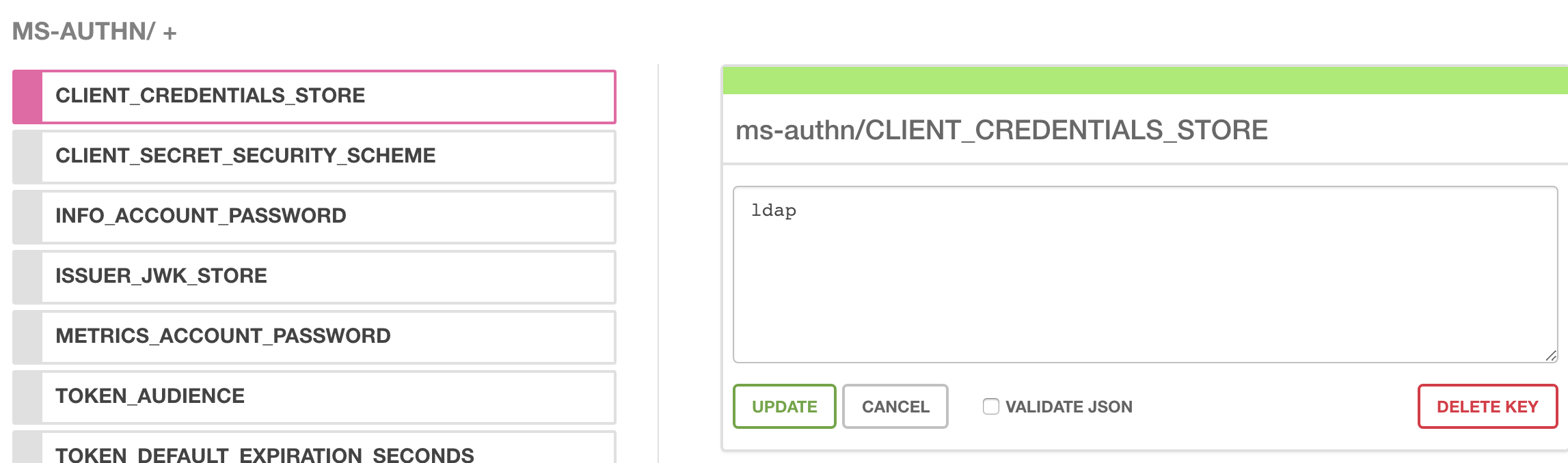
Lets change a value in the Consul UI for one of our keys,
CLIENT_CREDENTIALS_STORE from json to ldap:
This change is immediately detected by envconsul in all running pods:

envconsul then wastes no time in restarting the subprocess microservice:
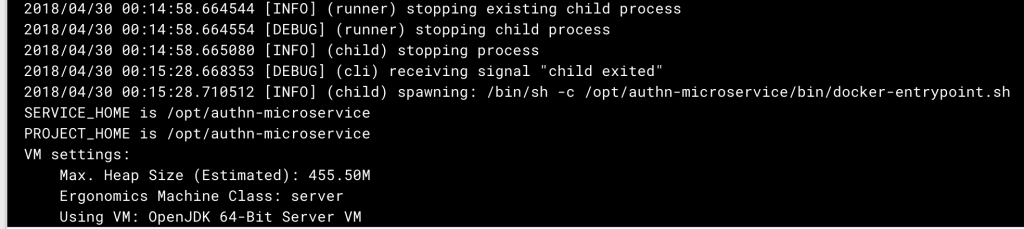
Pretty cool way to maintain a 12-factor app!
Tests
A quick test for the OAuth2 client credential grant reveals our endeavor has been successful. We receive a bearer access token from the newly started authn-microservice.
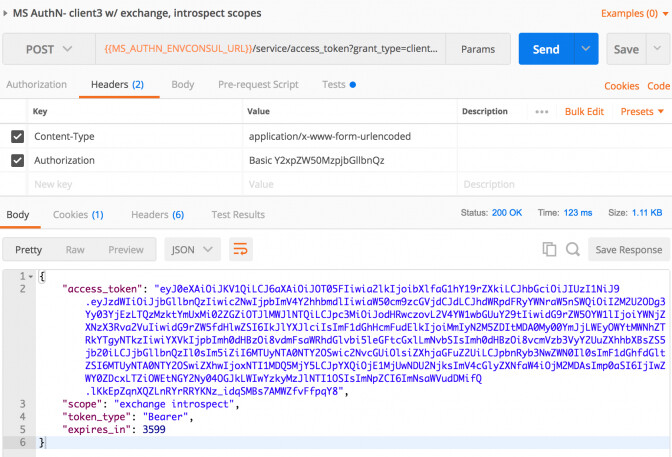
The token validation and token exchange microservices were also spun up using the procedures defined above.
Here is an example of validating a stateful access_token generated using the Authorization Code grant flow using OpenAM:
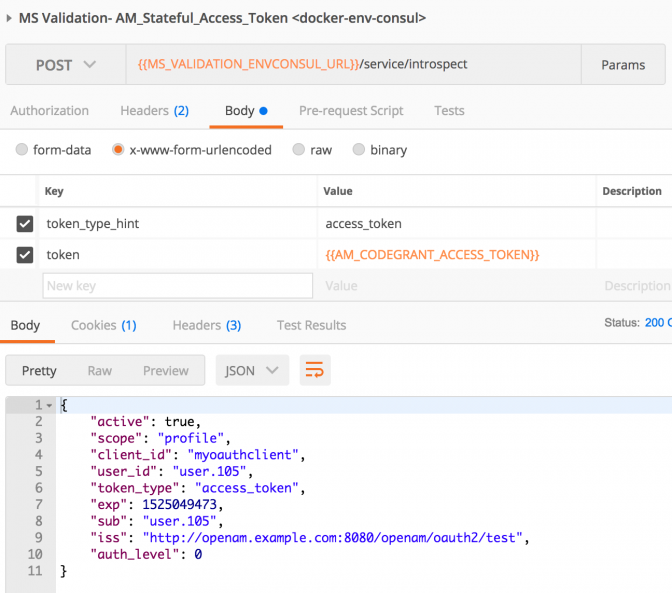
And finally the postman call to the token-exchange service for exchanging a user’s id_token with an access token granting delegation for an “actor” whose id_token is also supplied as input is shown here:
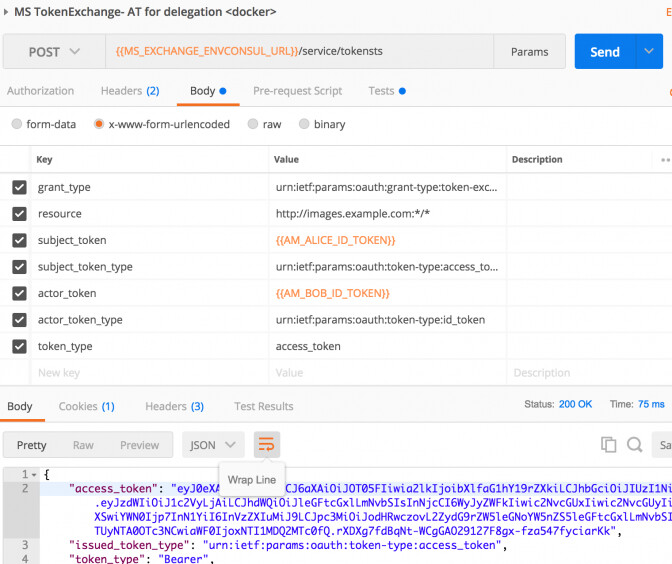
This particular use case is described in its own blog.
Whats coming next?
Watch this space for secrets integration with Vault and envconsul!
Helpful Links
Microservices Docs
Written by Javed Shah Please note that the EA program for Microservices has ended. The code provided in this post is not supported by ForgeRock. Introduction Openshift, a Kubernetes-as-a-Paas service, is increasingly being considered as an alternative to managed kubernetes platforms such as those from Tectonic, Rancher, etc and vanilla native kubernetes implementations such as those provided by Google, Amazon and even Azure. RedHat’s OpenShift is a PaaS that provides a complete platform whic…
 Securing
your (micro) services with ForgeRock Identity Microservices
[.badge-category__name#Architecture#]
Securing
your (micro) services with ForgeRock Identity Microservices
[.badge-category__name#Architecture#]
Written by Javed Shah Please note that the EA program for Microservices has ended. The code provided in this post is not supported by ForgeRock. ForgeRock Identity Microservices ForgeRock released in Q4 2017, an Early Access (aka beta) program for three key Identity Microservices within a compact, single-purpose code set for consumer-scale deployments. For companies who are deploying stateless Microservices architectures, these microservices offer a micro-gateway enabled solution that enabl…