The Localisation Journey
Author: |
Patrick Diligent |
Created at: |
Sep 2023 |
Updated at: |
May 2024 |
Overview
You are designing a journey, in a multi lingual environment, and users, based on their country of origin - so based on the browser configured locale - should be able to navigate the authentication journey in their own language. The premises here is that the organisation is leveraging the ForgeRock Identity Cloud hosted login pages.
We are going to use as an example the Login authentication and Registration journeys which are by default configured in new tenants, along with the inner tree companion, the Progressive Profile. Sample configurations in this article are presented in JSON format, where we demonstrate how to push changes to ForgeRock Identity Manager using the config manager tool: fr-config-manager. You can still perform these changes via the Access Management console or using REST against the Identity Management config endpoint depending where the change needs to be made, however, you should be aware that config manager make this very handy for you - please refer to this article: configuration-management-for-forgerock-identity-cloud-part-1
Also, as a pre-requisite, please refer to the documentation: Localize login and end user screens.
I also recommend that you browse these files from the platform-ui project while reading this article: platform-ui/packages/platform-shared/src/locales/en.json at master · ForgeRock/platform-ui · GitHub, and platform-ui/packages/platform-login/src/locales/en.json at master · ForgeRock/platform-ui · GitHub.
Setting up the initial configuration with config manager
Please follow the instructions in setting up the config manager tool described at GitHub - ForgeRock/fr-config-manager: ForgeRock config manager.
Pulling the journeys from ForgeRock Identity Cloud
From the folder where you have placed the .env file, retrieve the
Login journey by issuing this command:
$ fr-config-pull journeys --name Login --realm alpha
Authenticating
Getting journey Login in realm alpha
Repeat this same command, with the journey names ProgressiveProfile
and Registration.
This should be the resulting structure in the local folder:
.
└── realms
    └── alpha
        └── journeys
            ├── Login
            │   ├── Login.json
            │   └── nodes
            └── ProgressiveProfile
                ├── ProgressiveProfile.json
                └── nodes
            └── Registration
                ├── Registration.json
                └── nodes
Setting up locale configuration
Extract the local configuration with the following command:
$ fr-config-pull locales
Authenticating
Getting locales
This will create a locales subfolder, however, if no localisation has
ever been made, the content is empty. So we need to provide a
configuration file for each translation, such as en.json, en-us.json
, fr.json, and so on.
For the purpose of the exercise, we are going to use French, since I am comfortable with the language, so let’s create the file.
locales/fr.json
with initial content:
{
  "_id": "uilocale/fr"
}
If you’re not keen with using config-manager…
When localisation is handled by an authentication node
The configuration can be performed with the Access Management console. The localisation configuration is transmitted to the login UI via a callback, where the login UI knows how to render this particular callback into a form.
When localisation is not handled by an authentication node
In this case localisation is provided by the uilocale/<lang> config
object where lang is the language code, e.g en, en-ca, fr,
fr-ca and so on. For example for the French language, the
configuration is available at the IDM config endpoint
https://<tenant-url>/openidm/config/uilocale/fr. Note that Identity
Management locale configuration is not available in the ForgeRock
Identity Cloud UIs.
To perform the change via REST, you need first a valid access token, please refer to: Access REST APIs using service accounts. Then with a curl command:
curl --location --request PUT 'https://<tenant>/openidm/config/uilocale/fr' \
--header 'Content-Type: application/json' \
--header 'Authorization: Bearer eyJ0eXAiOiJ...' \
--data '{
    "login" : {
        ...
    }
}'
Note that the login UI is retrieving this configuration from the Identity Management config endpoint to handle the translation.
How localisation works
Some of the authentication nodes supports localisation in the configuration, this is the case for example for the Page and KBA nodes, for example.
When localisation is not supported in the node configuration, the Login UI resorts to defaults which are:
-
Input placeholders values are derived from the callback (the “prompt” value)
-
Anything else is configured in the locale configuration within the platform UI source code (
en.jsonin the login, enduser, and shared packages).
Values derived from callbacks can be localised with the key overrides.
Within it, the localisation key for a particular value is derived from
the value where all spaces are stripped. e.g User Name → UserName.
For everything else, the key is in one of the en.json file. An easy
way to locate it is to clone the project and search with the value to
localise.
Localising the Login Form
Point the browser at:
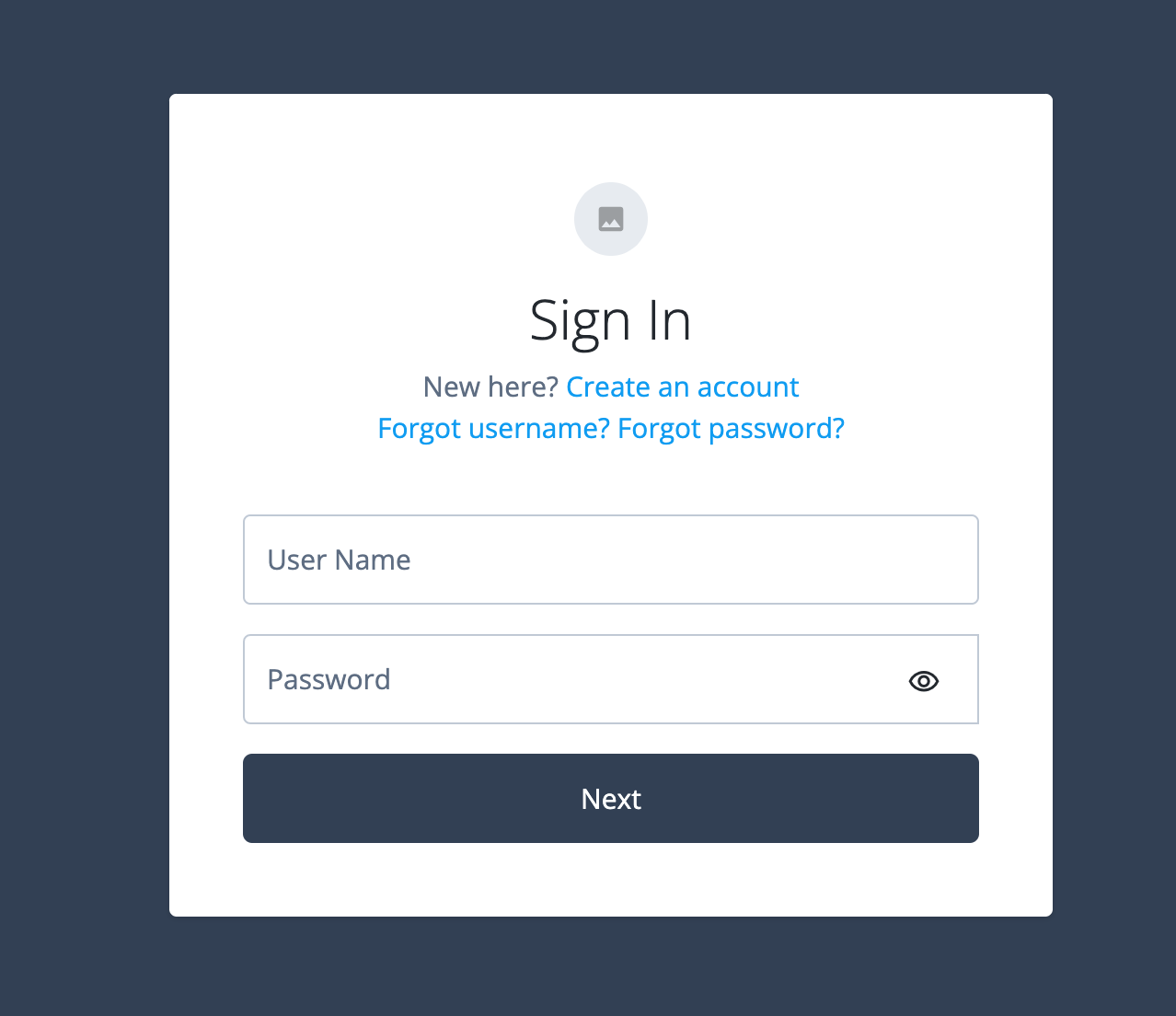
https://<my-tenant-url./am/XUI/?realm=alpha&authIndexType=service&authIndexValue=Login
And you should see this form:
Go to the browser language settings, and set French as preferred language (here is an example with Google Chrome):
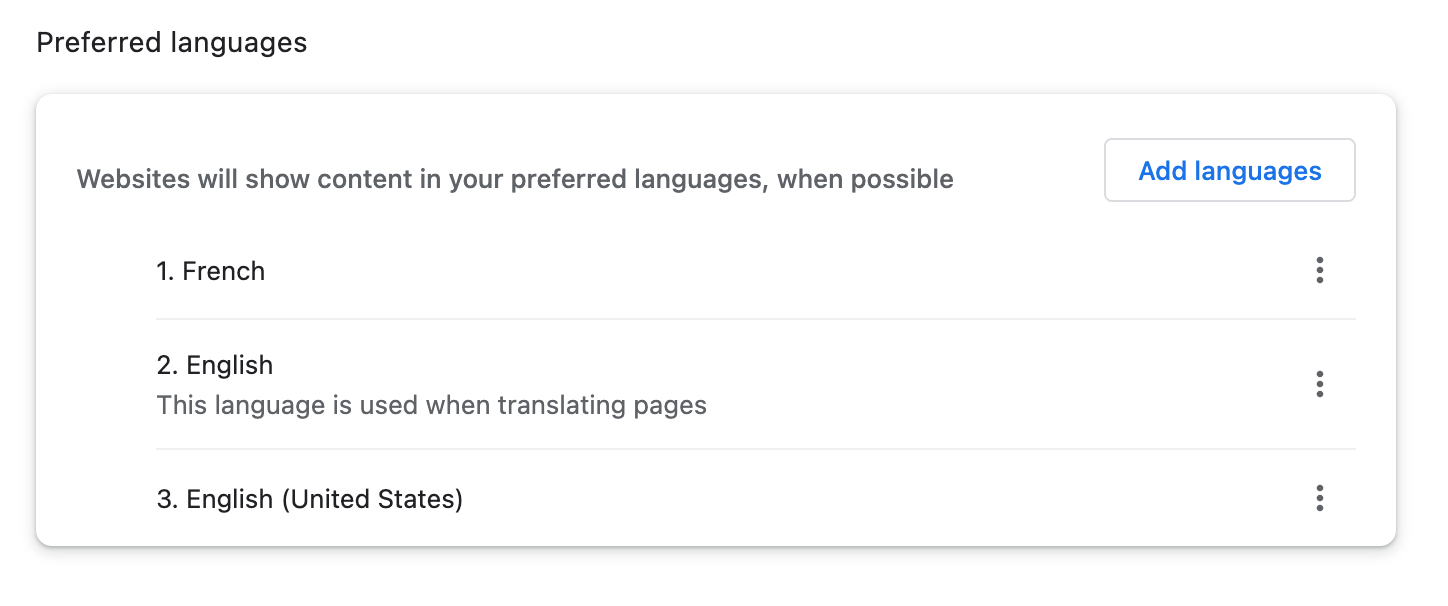
If now you reload the displayed page, this will not show any change since no translation have been provided yet.
The Page Node
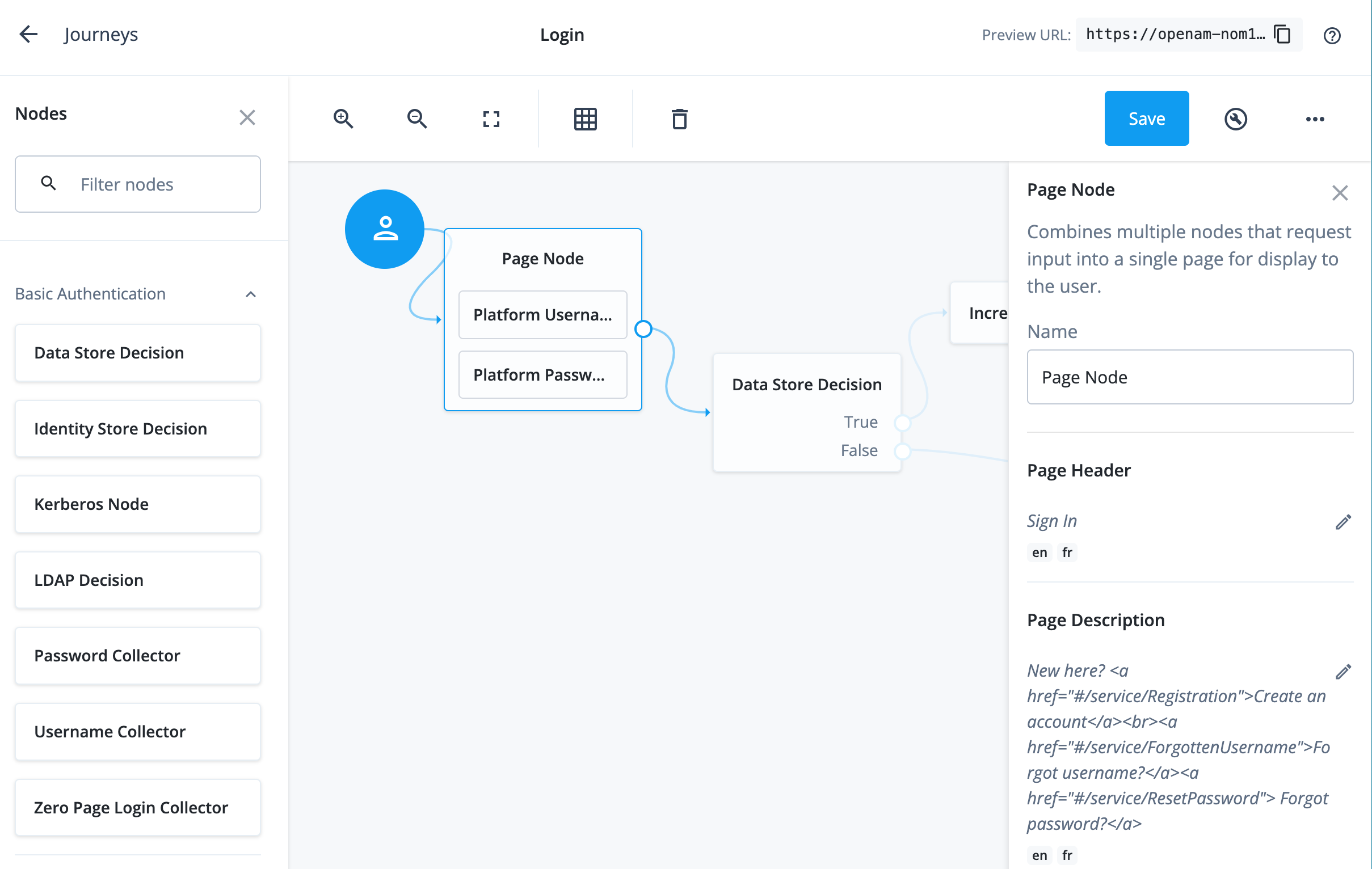
Inspect the JSON file for the page node, it is located under
realms/alpha/journey/nodes/Page Node - <UUID>.json. It has the
following configuration at the end:
"pageDescription": {
    "en": "New here? <a href=\"#/service/Registration\">Create an account</a><br><a href=\"#/service/ForgottenUsername\">Forgot username?</a><a href=\"#/service/ResetPassword\"> Forgot password?</a>"
  },
  "pageHeader": {
    "en": "Sign In"
  }
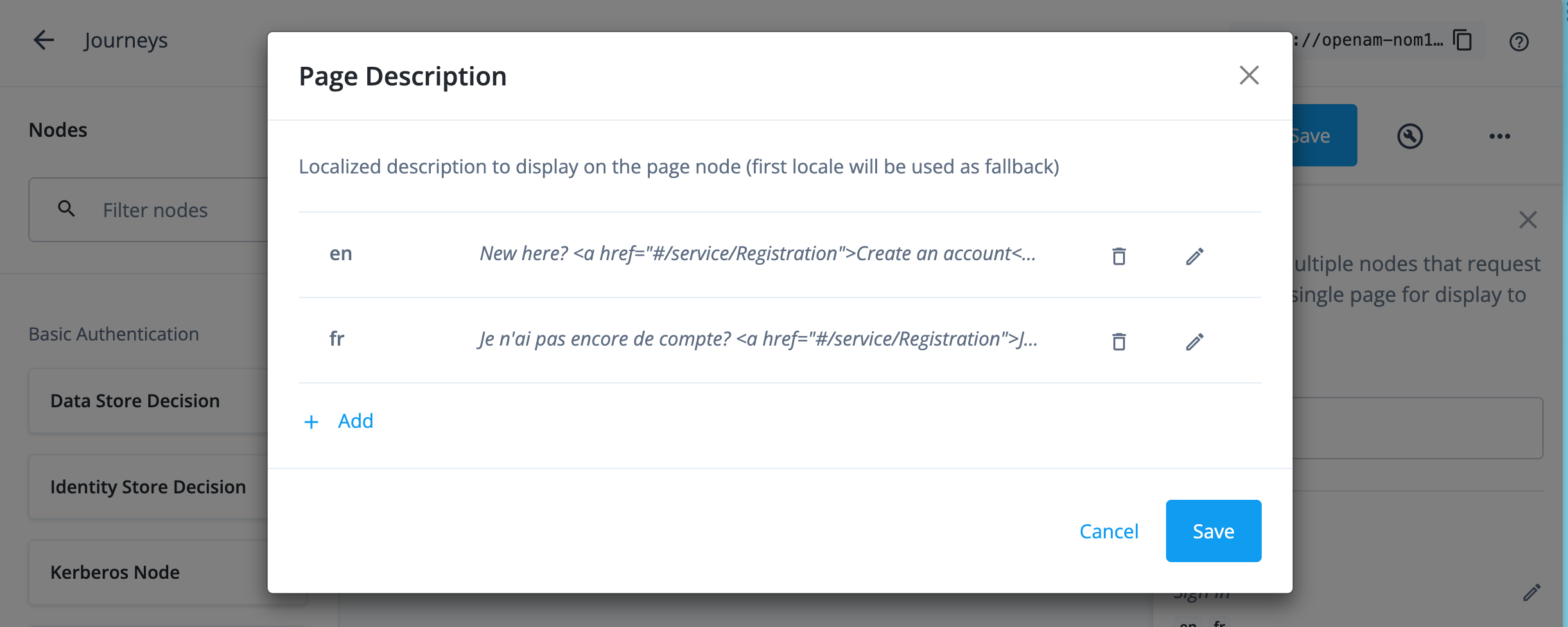
Let’s insert the French translation, this way:
  "pageDescription": {
    "en": "New here? <a href=\"#/service/Registration\">Create an account</a><br><a href=\"#/service/ForgottenUsername\">Forgot username?</a><a href=\"#/service/ResetPassword\"> Forgot password?</a>",
    "fr": "Je n'ai pas encore de compte? <a href=\"#/service/Registration\">Je souscrit</a><br><a href=\"#/service/ForgottenUsername\">J'ai oublié monidentifiant?</a><a href=\"#/service/ResetPassword\"> J'ai oublié le mot de passe?</a>"
  },
  "pageHeader": {
    "en": "Sign In",
    "fr": "Connexion"
  }
Then push it back to ForgeRock Identity Cloud:
$ fr-config-push journeys --name Login --realm alpha
Updating journey "Login"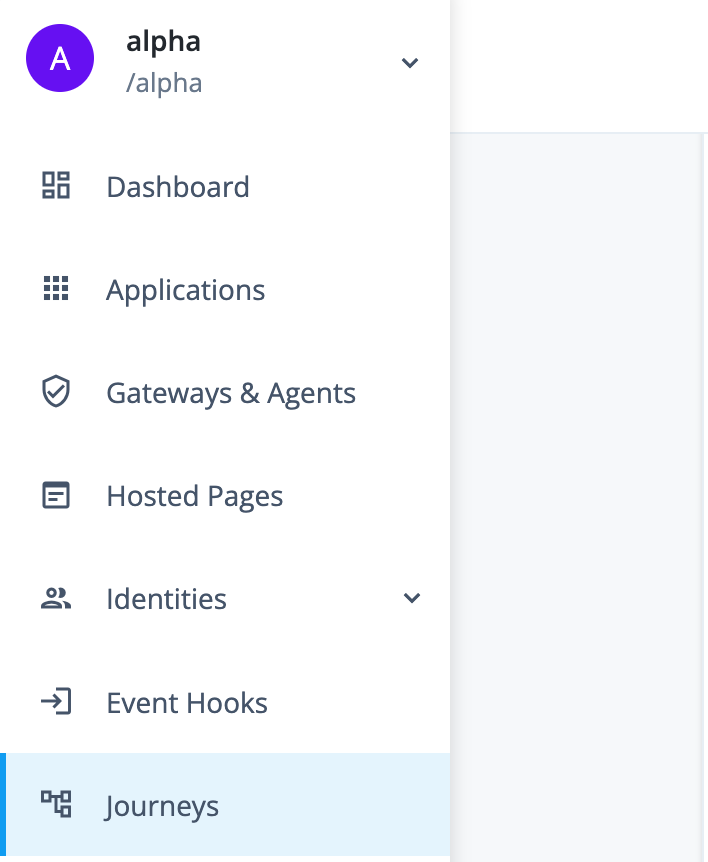
Localising the submit button and input fields
Submit button
Since localistion is in the scope of the login UI, the configuration
object in the JSON configuration is under the "login" key. This value
is derived from the callback, let’s search in
platform-ui/packages/platform-shared/src/locales/en.json
at master · ForgeRock/platform-ui · GitHub :
{
   ...
  "login": {
    "createAccount": "Create an account",
    "forgotPassword": "Forgot password?",
    "forgotUsername": "Forgot username?",
    "issueConnecting": "Issue connecting to the server",
    "loginFailure": "Sorry that isn't right. Try again.",
    "next": "Next", <=====
   ...
Therefore, the locale configuration for French (fr.json) should be:
{
  "_id": "uilocale/fr",
  "login": {
    "login" : {
      "next" : "Je continue"
    }
  }
}
Placeholders
Since the input field placeholders are derived from the callback
prompts, localisation is provided by the overrides object. The rule of
thumb here is to notice the default value in the form, this is the value
we’re going to use to derive the key. The key is formed by stripping the
space characters - as well as accents, hyphens, punctuation, question &
exclamation marks and so on. So for “User Name” the key is “UserName”,
and so on. And therefore:
fr.json:
{
  "_id": "uilocale/fr",
  "login": {
    "login" : {
      "next" : "Je continue"
    },
    "overrides" : {
       "UserName": "Votre identifiant",
       "Password": "Mot de passe"
    }
  }
}
Test it
Let’s push the locale configuration back to ForgeRock Identity Cloud:
$ fr-config-push locales
Updating locales
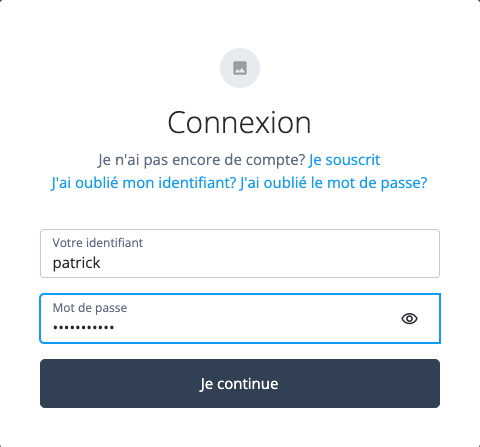
Click on the Preview URL at the top right of the Journey builder to copy the URL to the authentication service URL and paste into the browser location window. The translation should be complete:
The Progressive Profile form
Create a new user, then authenticate against the Login service, then logout, and repeat this sequence until the Progressive Profile form is displayed:
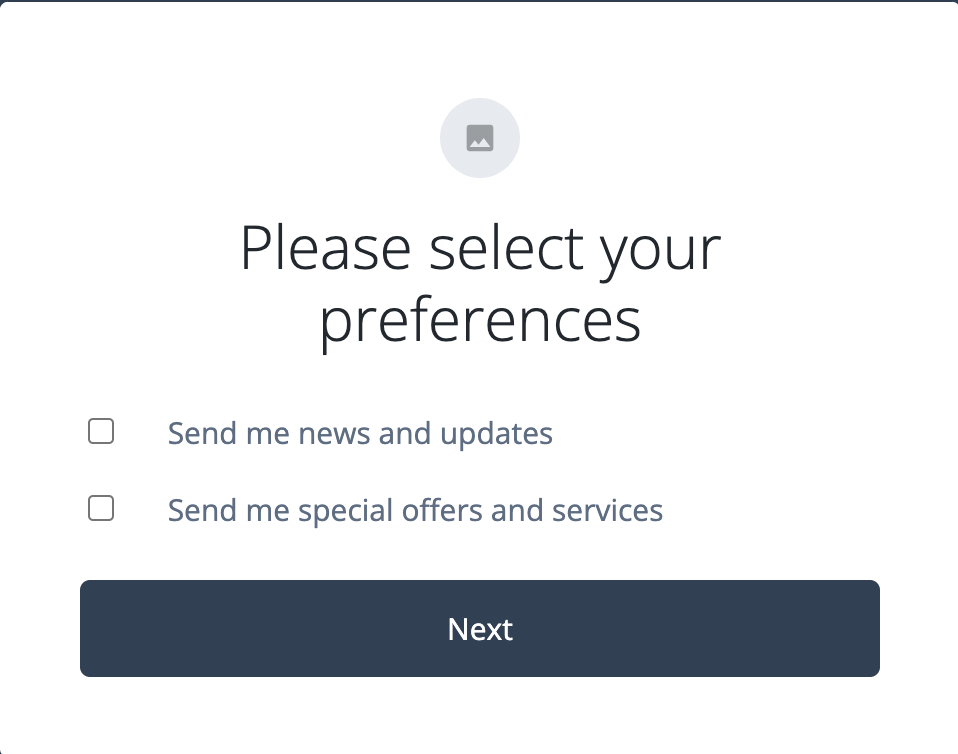
Following our previous rule of thumb, the values to override are
Send me news and updates and Send me special offers and services.
Therefore:
{
  "_id": "uilocale/fr",
  "login": {
    "login" : {
      "next" : "Je continue"
    },
    "overrides" : {
       "UserName": "Votre identifiant",
       "Password": "Mot de passe",
       "Sendmenewsandupdates": "J'aimerais souscrire au bulletin mensuel",
       "Sendmespecialoffersandservices": "J'aimerais être informé des nouvelles offres et services"
    }
  }
}
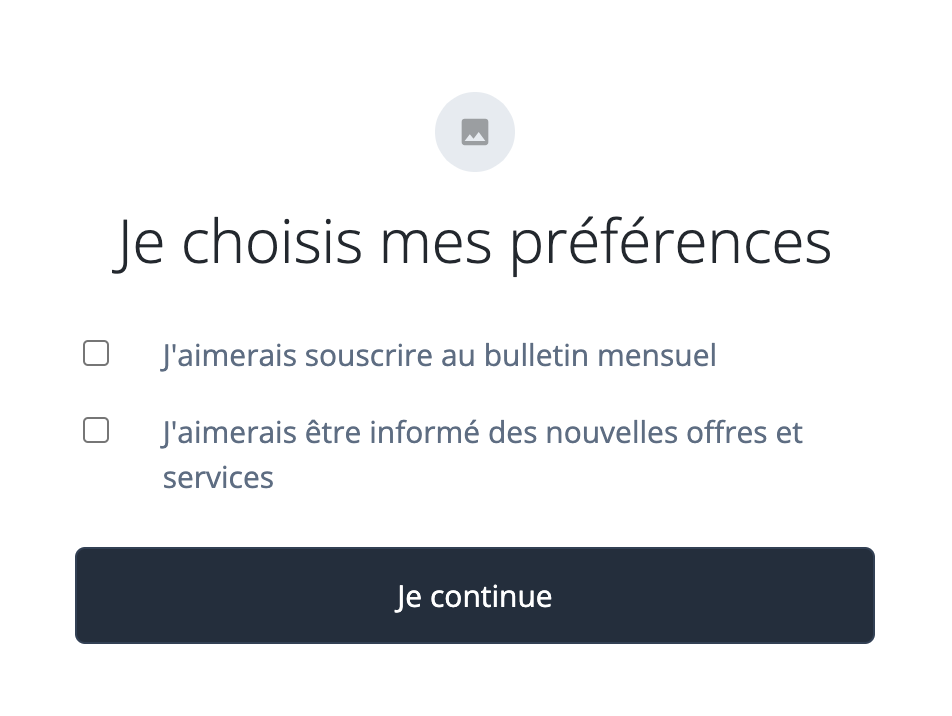
Then edit the ProgressiveProfile page node configuration to add the french localisation, and push it to ForgeRock Identity Cloud.
,
  "pageDescription": {},
  "pageHeader": {
    "en": "Please select your preferences",
    "fr": "Je choisis mes préférences"
  }
}
The final result is:
Localising the Registration form
The registration form have several parts:
-
Inputs generated by the Attribute Collector node, to collect the user firstname, lastname, mail, and marketing/updates preferences.
-
A password collector
-
Security questions form (from the KBA Node)
-
Term and Conditions (Terms and Conditions Node)
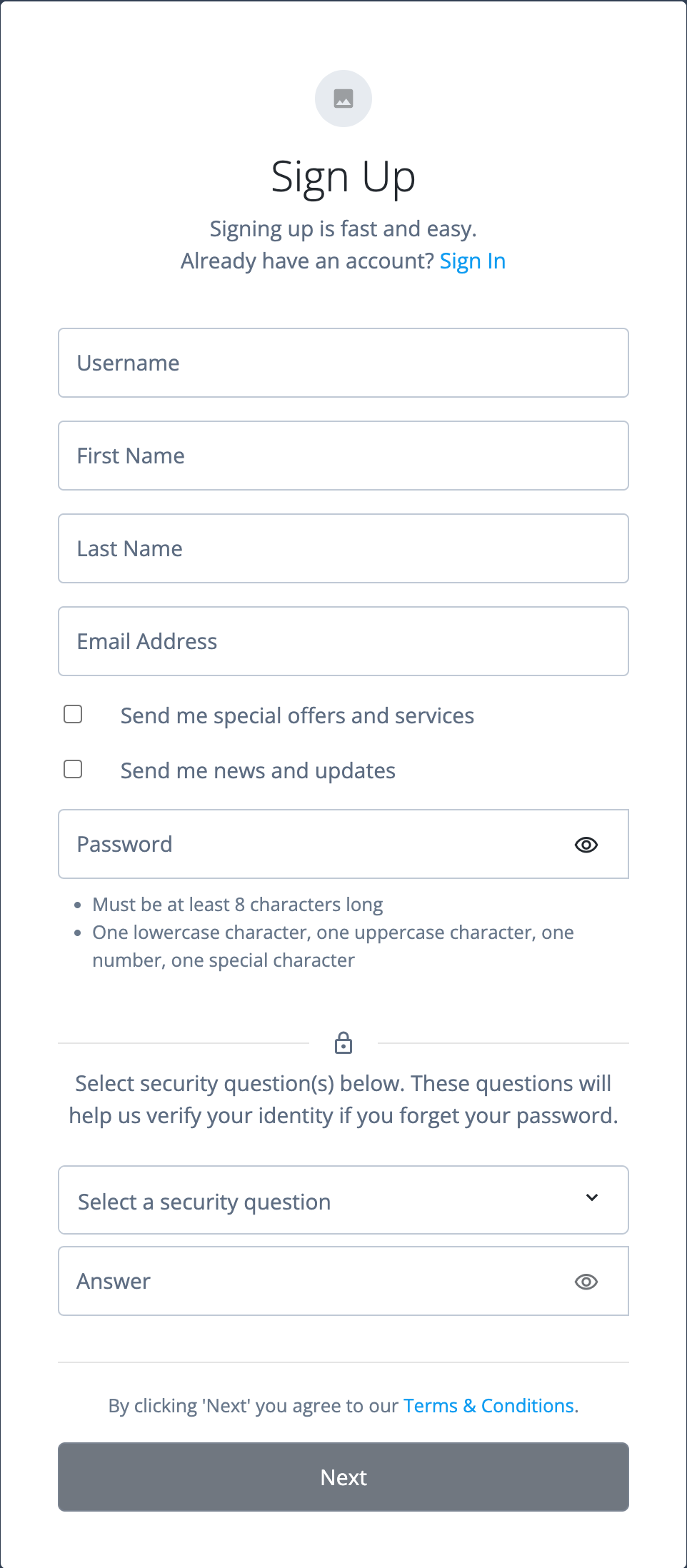
This is how the registration form is displayed with the default configuration:
Localising the attribute collectors
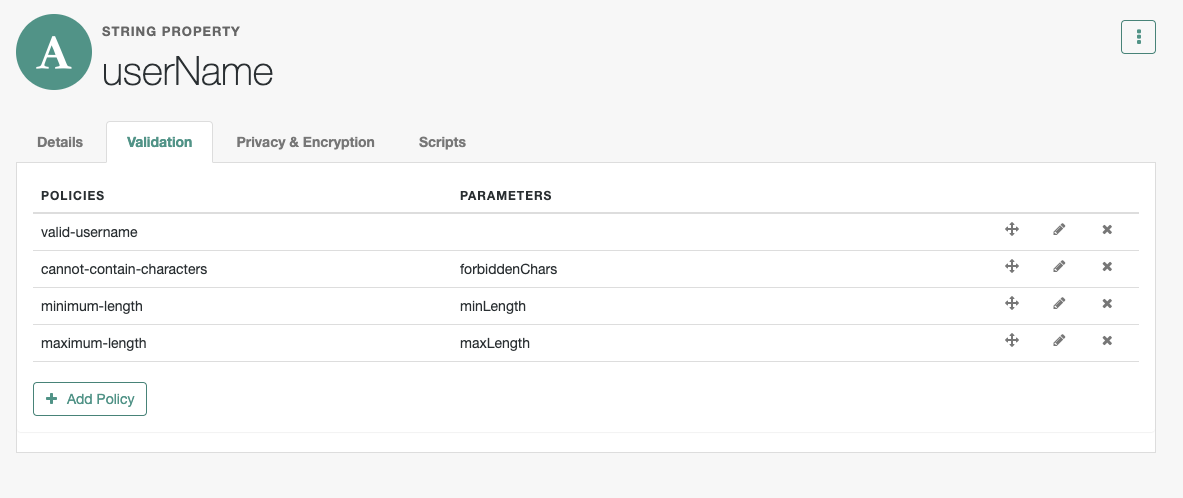
We need to provide an override for “Username”, “First name”, “Last Name”, “Email Address”, “preferences marketing and updates” as well as “Password”. You’ve probably noticed that the placeholder for the user name is different from the login form? The difference here is that the node has validation enabled, and therefore, it is now picking up the attribute’s readable title from the managed schema, where the value is “Username”.
{
  "_id": "uilocale/fr",
  "login": {
    "login" : {
      "next" : "Je continue"
    },
    "overrides" : {
       "UserName": "Votre identifiant",
       "Username": "Identifiant",
       "Password": "Mot de passe",
       "Sendmenewsandupdates": "J'aimerais souscrire au bulletin mensuel",
       "Sendmespecialoffersandservices": "J'aimerais être informé des nouvelles offres et services",
       "FirstName": "Prénom",
       "LastName": "Nom de famille",
       "EmailAddress": "Adresse couriel"
    }
  }
}
As a note, the placeholder values can come from different places. For
the user name and password collectors, they’re generated by the node
implementation - except for the user name when validation is enabled, in
this case it is driven by the Readable Title of the attribute in the
managed schema. Then for the attribute collector, the placeholder values
are derived rom the Readable Title. Finally, for preferences/marketing
and preferences/updates, the value is derived from the item
descriptions in the preferences object. This is something that you need
to be aware of if you make changes to the managed configuration. For
example, frIndexedSting1 has a Readable Title :
Generic Indexed String 1, and therefore the key for the override is
GenericIndexedString1. If that attribute is destined to receive, for
example, a pin number, you’re likely to set the title to something else,
such as PIN. In this case the override key becomes "PIN". Overall
though, just use the placeholder value that shows up in the placeholder
and you will always get it right.
Localising the validation messages
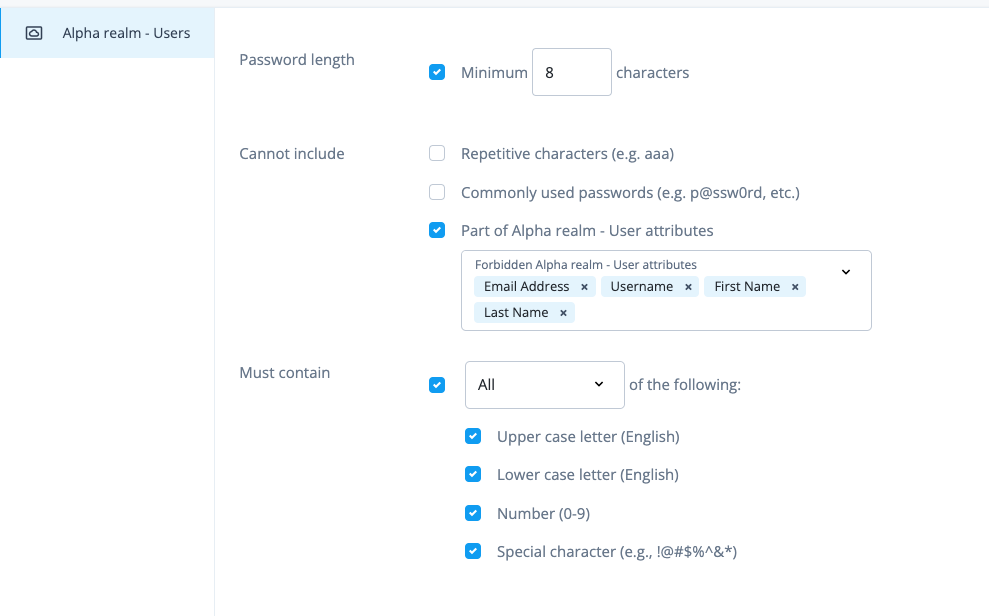
There are validation policies in place for the username and password. Here are those configured in my tenant:
Browsing the validation policy locales
One way to find the correct configuration is to use the validation error
message to search in one of the en.json files. You’ll find the
localisation in the platform-shared package, under
common.policyValidationMessages:
"common": {
     policyValidationMessages": {
      "GENERIC_FIELD_REQUIRED": "{_field_} is required",
      "VALID_PHONE_FORMAT": "Must be a valid phone number",
      "VALID_NAME_FORMAT": "Must have valid name characters",
      "CANNOT_CONTAIN_CHARACTERS": "Cannot contain characters: {forbiddenChars}",
...
}
So from here, we can easily deduce the French locale configuration:
{
  "login" : {
     "login" : {
       "next" : "Je continue",
          ....
    },
    "common" : {
      "policyValidationMessages" : {
        "MIN_LENGTH": "Au minimum {minLength} charactères",
        "REQUIRED": "Champ obligatoire",
        "CANNOT_CONTAIN_CHARACTERS": "Charactères invalides: {forbiddenChars}",
        "VALID_EMAIL_ADDRESS_FORMAT": "Le format de l'adresse couriel n'est pas valide (example@example.com)",
        "VALID_USERNAME": "L'identifiant n'est pas valide",
        "sets": {
          "lowercase": "un charactère minuscule",
          "uppercase": "un charactère majuscule",
          "number": "un chiffre",
          "symbol": "un charactère spécial"
        }
      }
    },
   "overrides": {
        ....
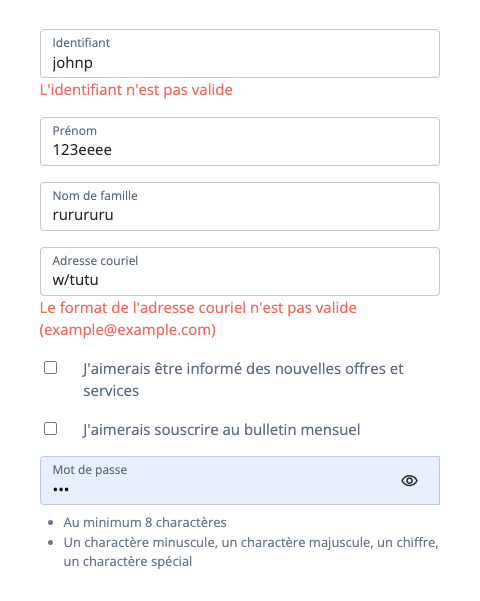
Push to ForgeRock Identity Cloud, then test:
Localising the security questions
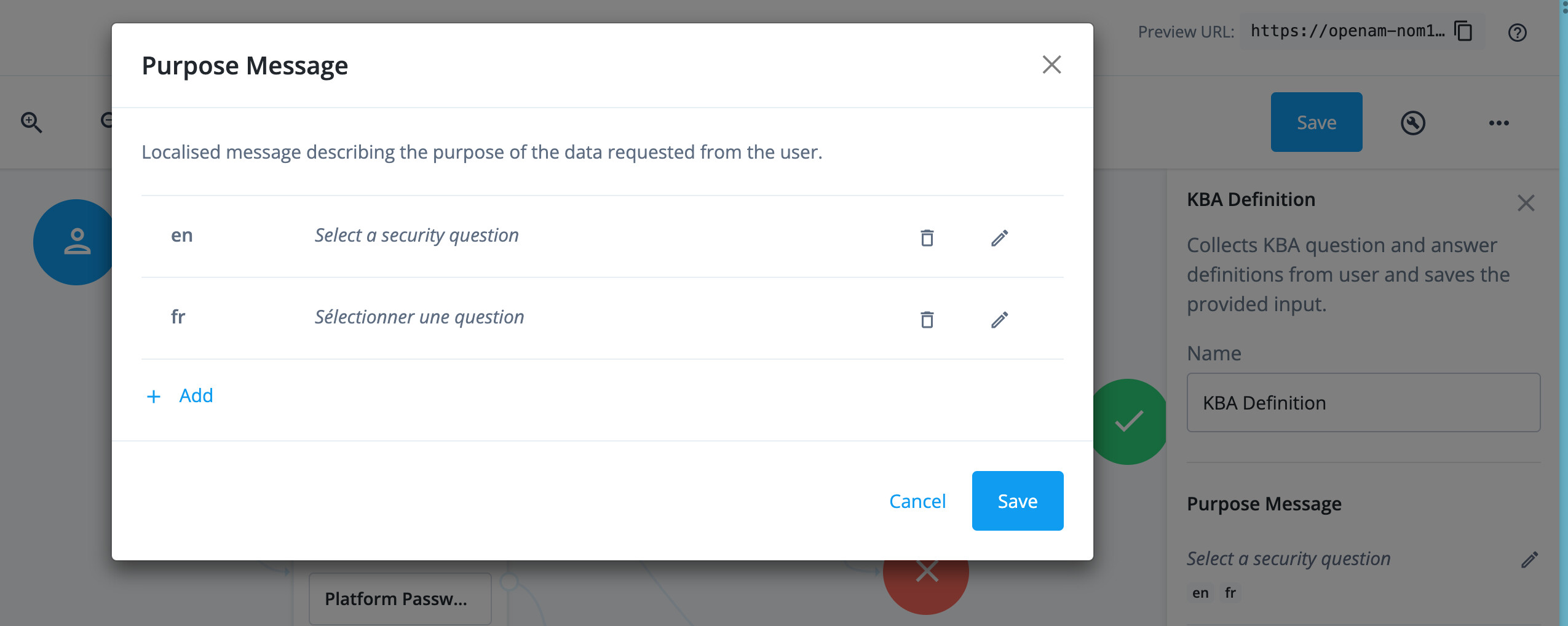
Part of the configuration is performed in the KBA node configuration,
the other part in fr.json.
The KBA node configuration for “message” should look like:
"message": {
    "en": "Select a security question",
    "fr": "Sélectionner une question"
  }
e.g
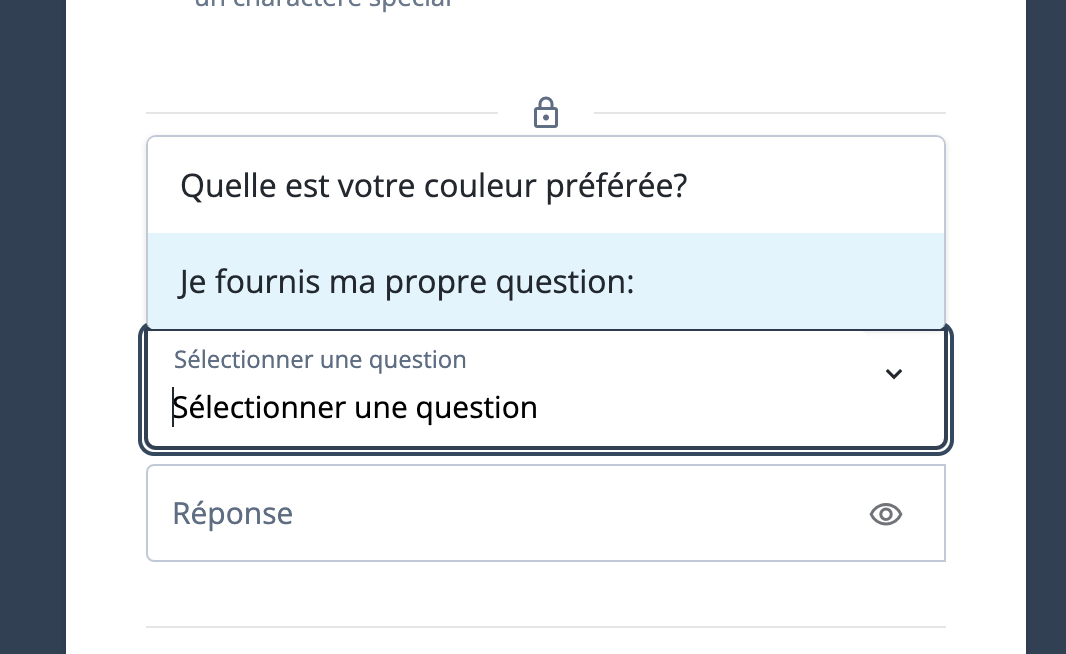
Then the remaining part is provided within fr.json, as before, look up
the value in the platform UI locale configuration files, the complete
configuration for kba is:
"login": {
    "login" : {
      "next" : "Je continue",
      "kba": {
        "description": "Je sélectionne des question(s) ci-dessus. Ces questions sont utilisées pour m'identifier si j'oublie mon mot de passe",
        "custom": "Je fournis ma propre question:",
        "question": "Question",
        "answer": "Réponse",
        "notUnique": "Les questions libres doivent être toutes différentes"
      }
    },
Localising the Term & Conditions
First, provide a text for the French translation in the ForgeRock Identity Cloud UI
Select "Terms & Condition in the left side panel
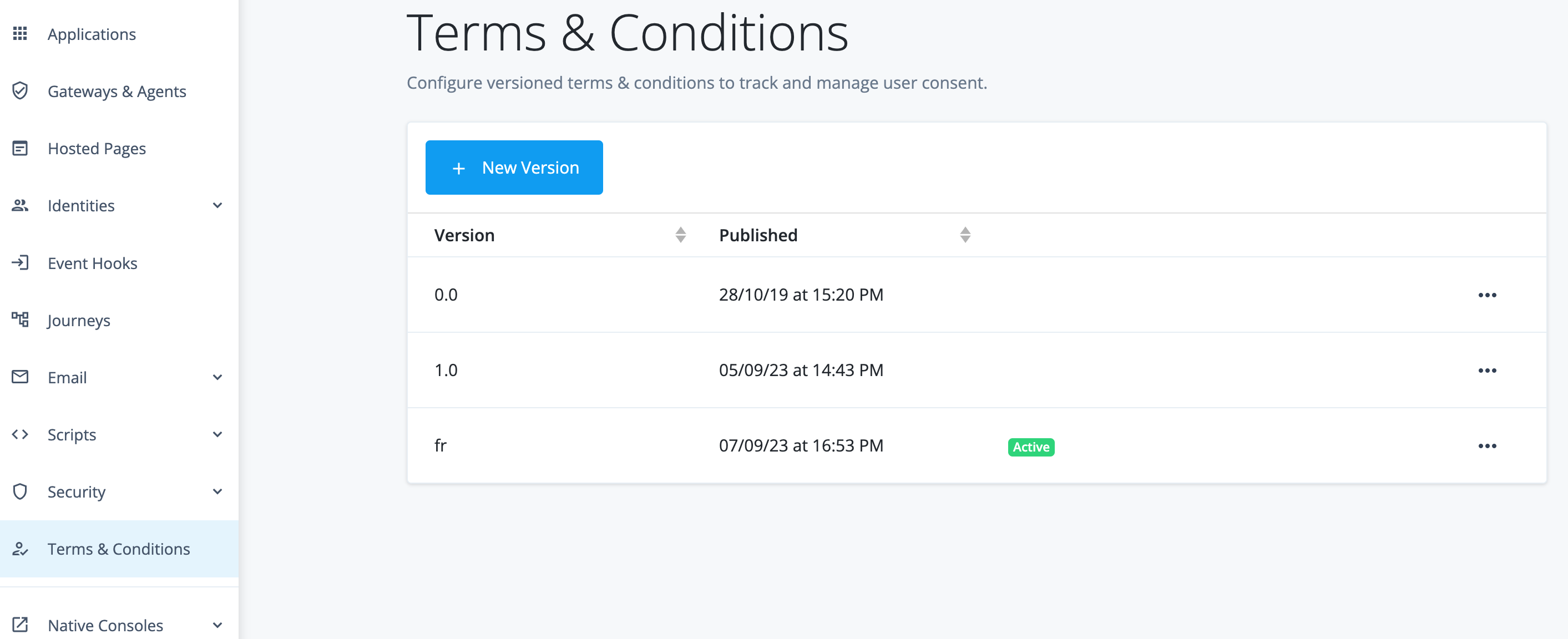
Click on New Version, enter the version, then Next, enter the key
(fr) and the text:
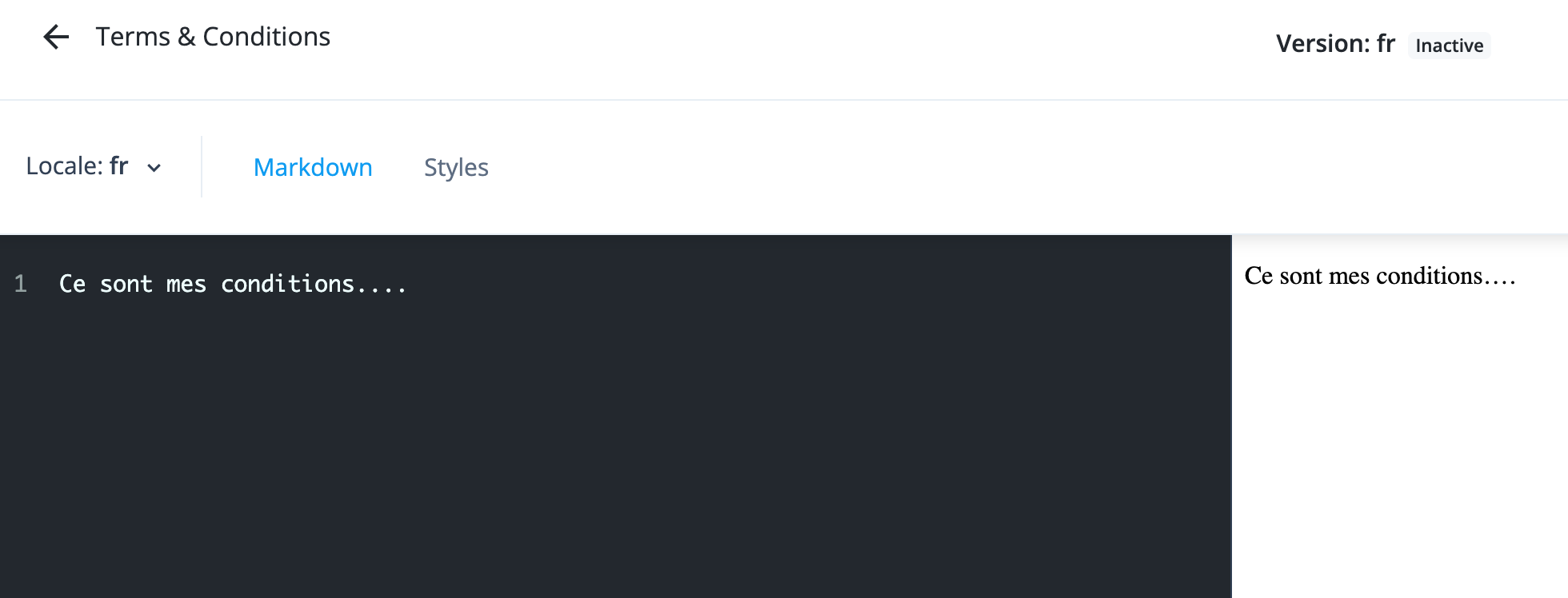
Finally click Publish and opt for setting the version active.
Then for the form localisation, provide a translation for agreeToTerms
and termsAndConditions:
"login": {
    "login" : {
      "next" : "Je continue",
      "agreeToTerms": "En cliquant 'Je continue', j'adhère aux ",
      "termsAndConditions": "Conditions d'utilisation",
      "kba": {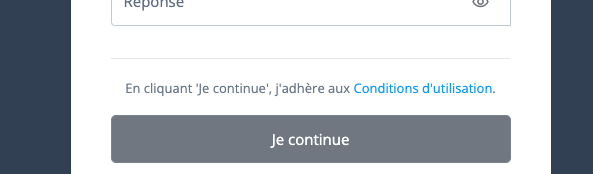
Localising the Page Node
Finally the last bit, the Page Node header and description:
,
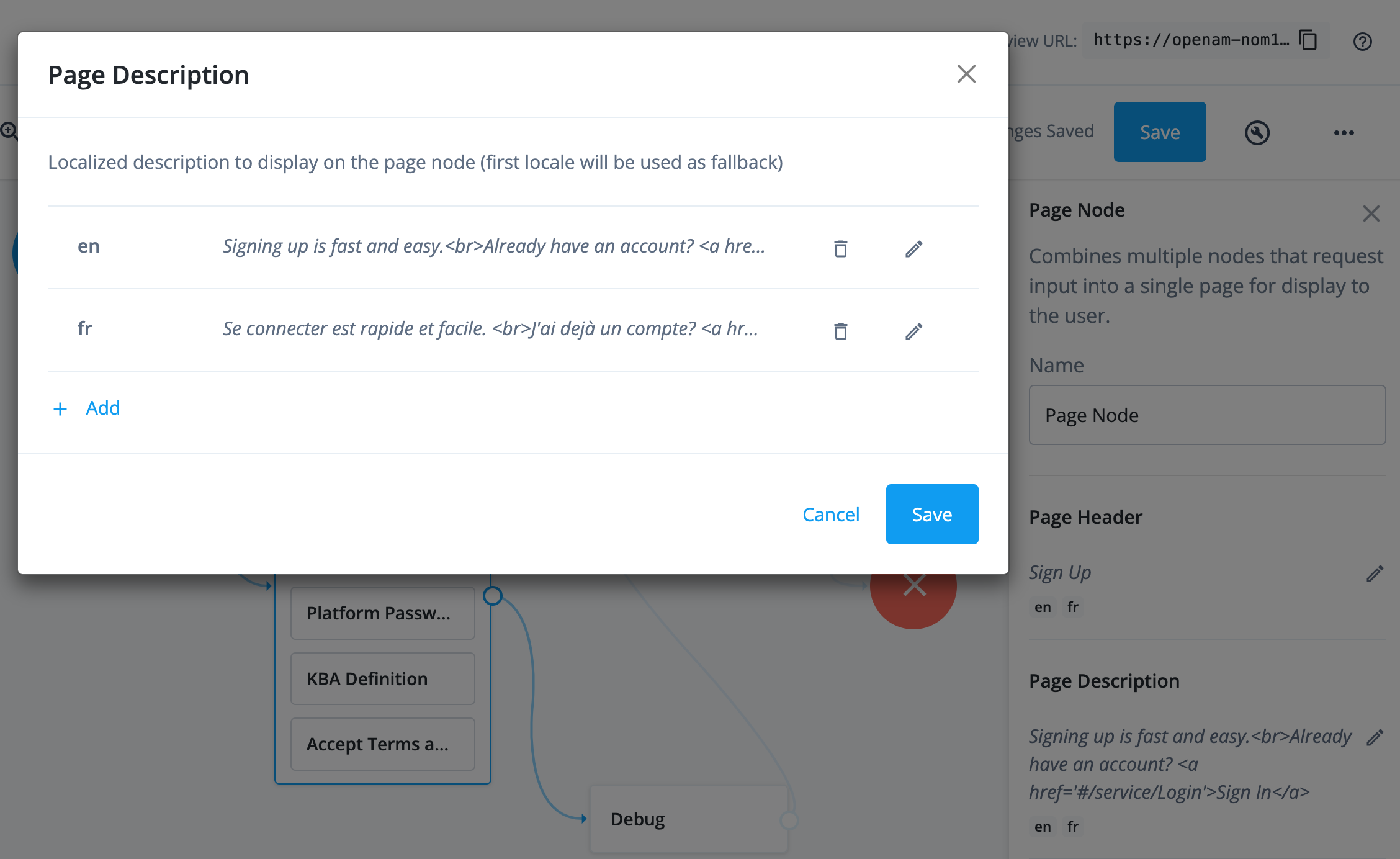
  "pageDescription": {
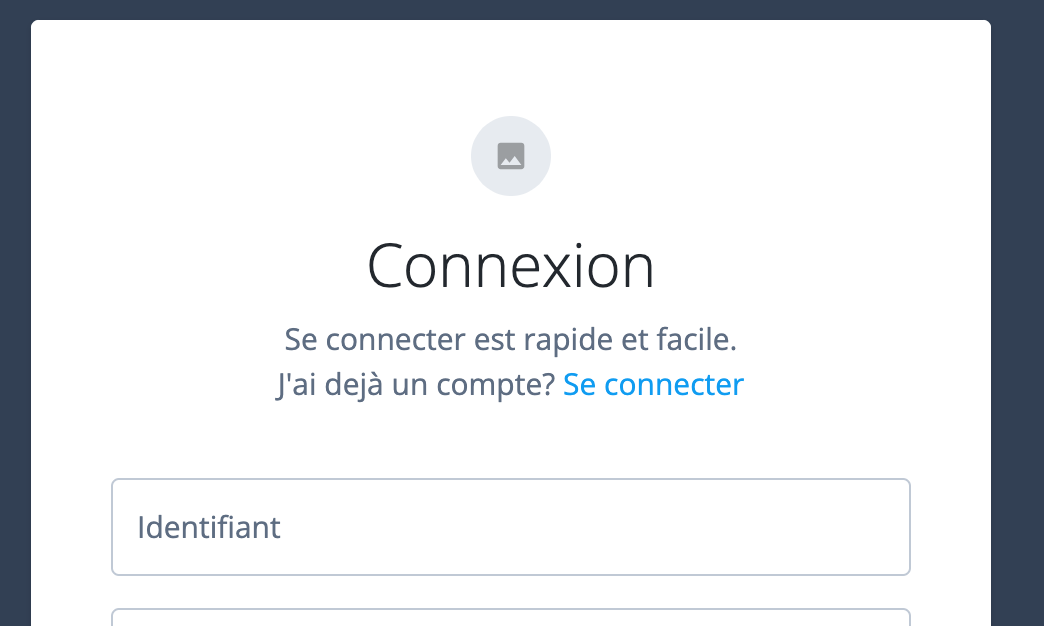
    "en": "Signing up is fast and easy.<br>Already have an account? <a href='#/service/Login'>Sign In</a>",
    "fr": "Se connecter est rapide et facile.  <br>J'ai dejà un compte? <a href='#/service/Login'>Se connecter</a>"
  },
  "pageHeader": {
    "en": "Sign Up",
    "fr": "Connexion"
  }
Wrap Up
The localisation is now complete for the Login, Progressive Profile, and Registration. From there, you have now all the ingredients to achieve the localisation of all the authentication journeys.
The overall configuration that should now be in place:
{
  "_id": "uilocale/fr",
  "login": {
    "login" : {
      "next" : "Je continue",
      "agreeToTerms": "En cliquant 'Je continue', j'adhère aux ",
      "termsAndConditions": "Conditions d'utilisation",
      "kba": {
        "description": "Je sélectionne des question(s) ci-dessus. Ces questions sont utilisées pour m'identifier si j'oublie mon mot de passe",
        "custom": "Je fournis ma propre question:",
        "question": "Question",
        "answer": "Réponse",
        "notUnique": "Les questions libres doivent être toutes différentes"
      }
    },
    "common" : {
      "policyValidationMessages" : {
        "MIN_LENGTH": "Au minimum {minLength} charactères",
        "REQUIRED": "Champ obligatoire",
        "CANNOT_CONTAIN_CHARACTERS": "Charactères invalides: {forbiddenChars}",
        "VALID_EMAIL_ADDRESS_FORMAT": "Le format de l'adresse couriel n'est pas valide (example@example.com)",
        "VALID_USERNAME": "L'identifiant n'est pas valide",
        "sets": {
          "lowercase": "un charactère minuscule",
          "uppercase": "un charactère majuscule",
          "number": "un chiffre",
          "symbol": "un charactère spécial"
        }
      }
    },
    "overrides" : {
       "UserName": "Votre identifiant",
       "Username": "Identifiant",
       "Password": "Mot de passe",
       "Sendmenewsandupdates": "J'aimerais souscrire au bulletin mensuel",
       "Sendmespecialoffersandservices": "J'aimerais être informé des nouvelles offres et services",
       "FirstName": "Prénom",
       "LastName": "Nom de famille",
       "EmailAddress": "Adresse couriel"
    }
  }
}
Note that this applies for hosted login pages. However, you could still stick to the same conventions to localise a custom built-in login front-end, and store the locale configuration at the IDM config endpoint, with same URL convention. That way, you can test the localisation using the hosted pages, that same localisation will also work for the custom login page!